Quick answer: Before approving a church AI tool, ask whether it has a built-in AI policy, saves your statement of faith, lets leadership control guardrails, protects sensitive topics, applies the same rules to chat and content, supports human review, and fits your budget for the whole team. A tool that fails the first question is not the safest choice.
This guide is part of our series on the safest AI for churches. It is written for executive pastors, elders, and anyone who has to say yes or no to new software.
Why church AI needs a different review
Most software reviews ask: does it work, and what does it cost? For church AI, add a third question: what will it say on our behalf when no leader is watching? Your communications carry your doctrine and your pastoral care. The approval process should reflect that.
Question 1: Does it have an AI policy built in?
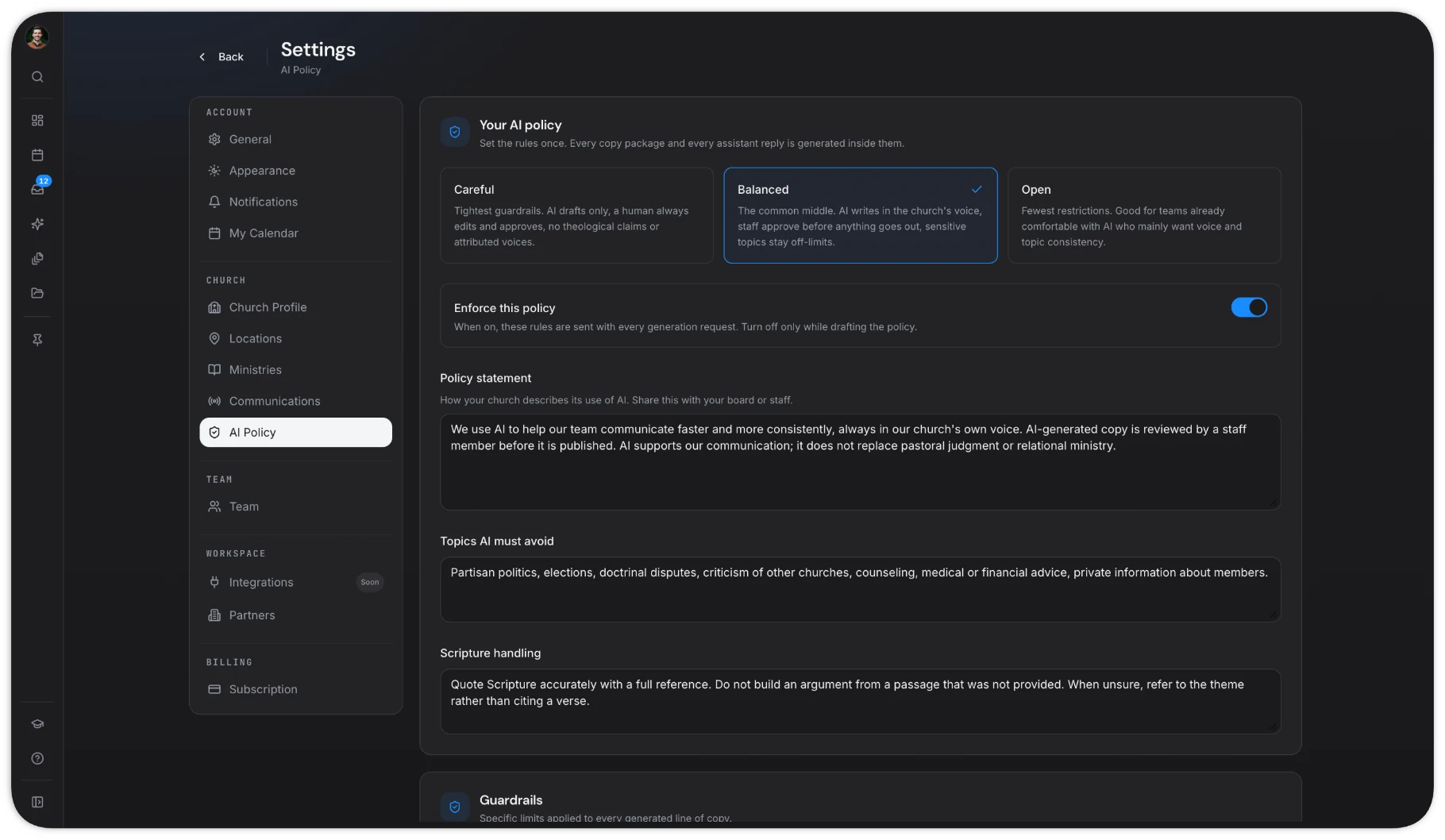
This is the most important question. Can leadership set an AI policy inside the tool, and does the AI follow it? If the answer is "you can paste instructions in," that is not a policy. That is a hope. Look for a real AI policy generator and settings, like ChurchCopy's AI Policy & Guardrails.
Question 2: Does it know what we believe?
Can you save your mission, vision, values, statement of faith, and tone? More importantly, does the tool use them on every prompt, or only when someone remembers? ChurchCopy includes them automatically, so you never have to train it.
Question 3: Who controls the guardrails?
If any user can change the rules, the rules are optional. Ask who can edit settings and whether leadership can keep them consistent across the team.
Question 4: How does it handle sensitive topics?
Pastoral care, grief, abuse, divorce, mental health, and church discipline should never be left to AI alone. Ask how the tool flags or avoids these topics and where a human steps in. Our article on AI guardrails for pastoral care goes deeper.
Question 5: Do chat and content follow the same rules?
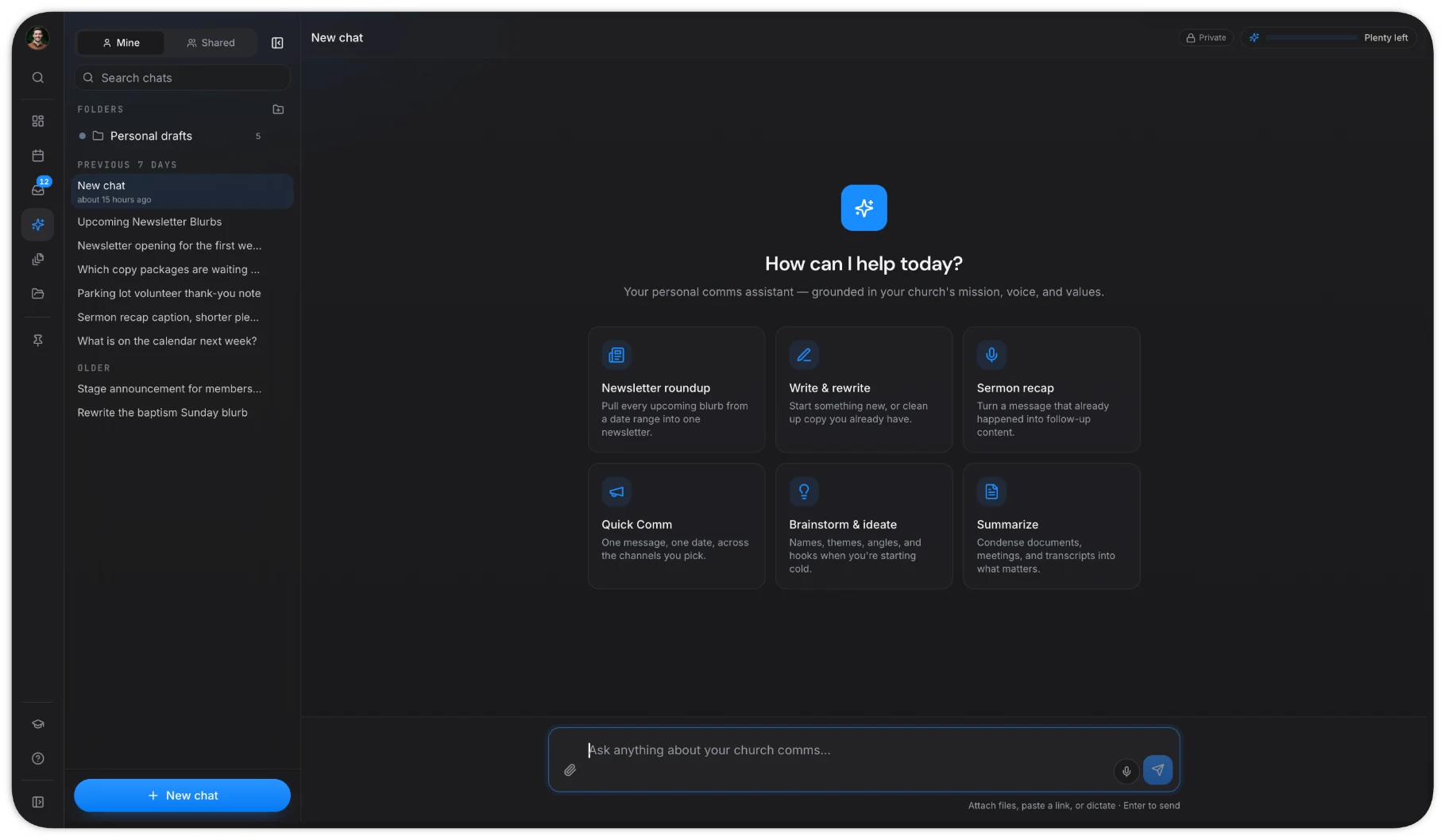
Some tools apply rules to templates but leave a wide-open chat on the side. That chat becomes the back door. In ChurchCopy, the AI Chat Assistant and every copy package follow the same settings and policy.
Question 6: Can we review before anything goes out?
Look for statuses, comments, and approvals. Content should move from draft to approved before anyone posts it. ChurchCopy has built-in review and approval and a shared communications calendar so leaders can see what is coming.
Question 7: What does it cost for the whole team?
Guardrails only work if everyone is inside the same tool. So price it for your real team, not one person.
- Separate ChatGPT accounts: about $20 per person per month, no shared rules.
- ChurchCopy: $29 per month for the first seat, $10 per month for each extra seat, unlimited free viewers.
For a team of six, that is about $120 per month for ChatGPT versus $79 for ChurchCopy. See pricing.
A simple scoring sheet
Give each question a score from 0 to 2:
- 0 — not available
- 1 — partly available or depends on users remembering
- 2 — built in and enforced
A tool scoring 12 or more is a strong, safe candidate. Any tool scoring 0 on Question 1 should be a no, no matter its total.
Bringing it to your board
When you present a recommendation, show three things: the risks of the status quo (staff using separate AI accounts), the scoring sheet, and the cost comparison. Our guide to presenting an AI policy to elders includes talking points you can reuse.
The bottom line
The "best AI for churches" is the one your leadership can trust when they are not in the room. Ask these seven questions and you will find the safest tool for your team.
Try for free and run ChurchCopy through the checklist yourself.