Stop prompting.Start planning.
Paste your event notes. ChurchCopy writes every email, text, social post, and announcement in your church's voice, then lays it all out on one calendar.
- Always in your voice
- AI Policy built in
- 7-day free trial
One Church. One Voice.
Generic AI starts with a blank prompt. ChurchCopy AI starts with your mission, vision, values, statement of faith, tone, and AI policy.
Generic AI tools
- Starts from a blank prompt every time
- Corporate tone and robotic filler
- No doctrinal boundaries or AI policy
- Every staff member sounds different
ChurchCopy AI
- Remembers your church settings, no retraining
- Warm, pastoral tone matched to your people
- Your AI policy and guardrails in every prompt
- One shared voice across your whole team
Write it once. Find it forever.
Other AI tools bury your drafts in endless chat history. ChurchCopy plans every piece on a built-in comms calendar.
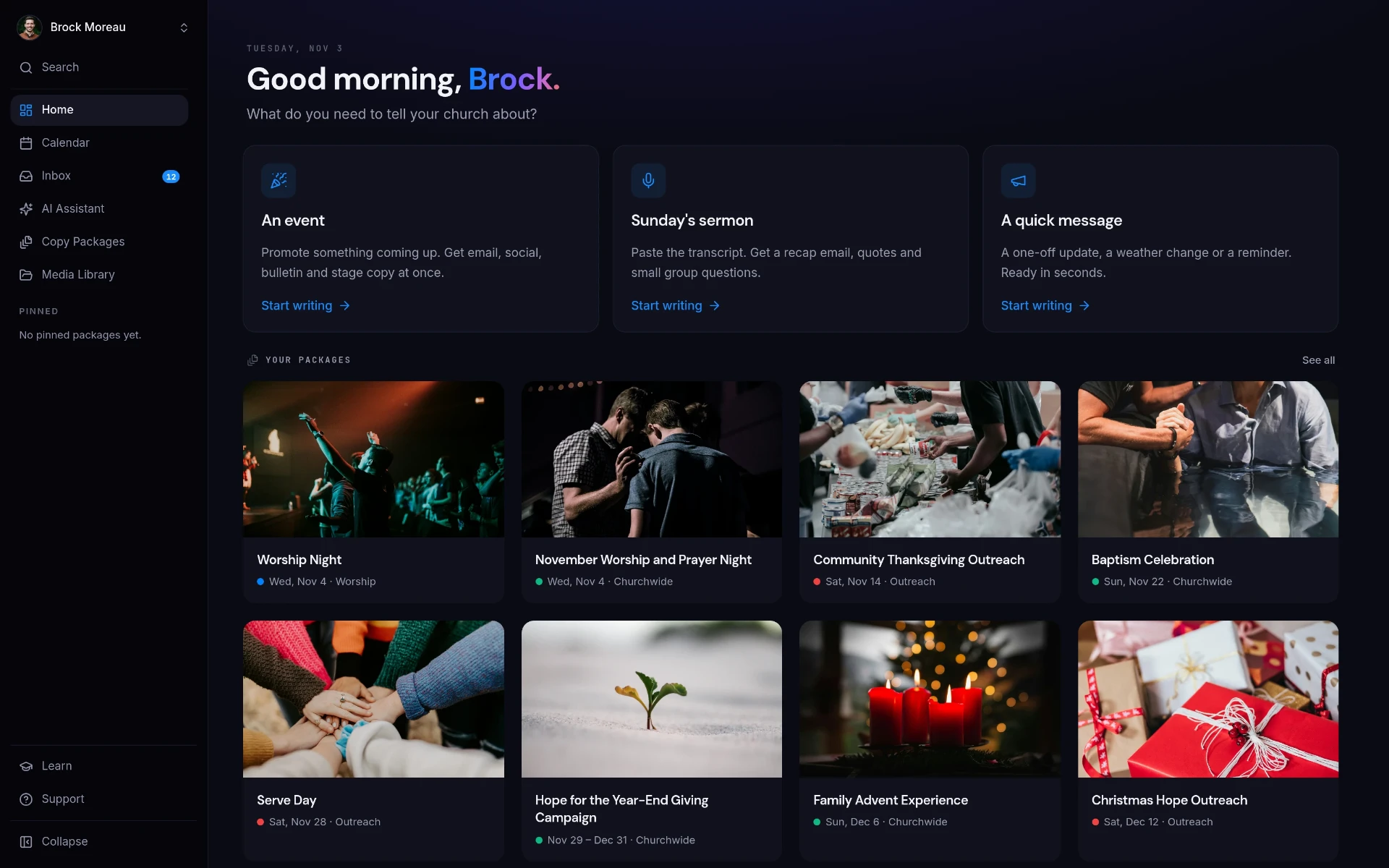
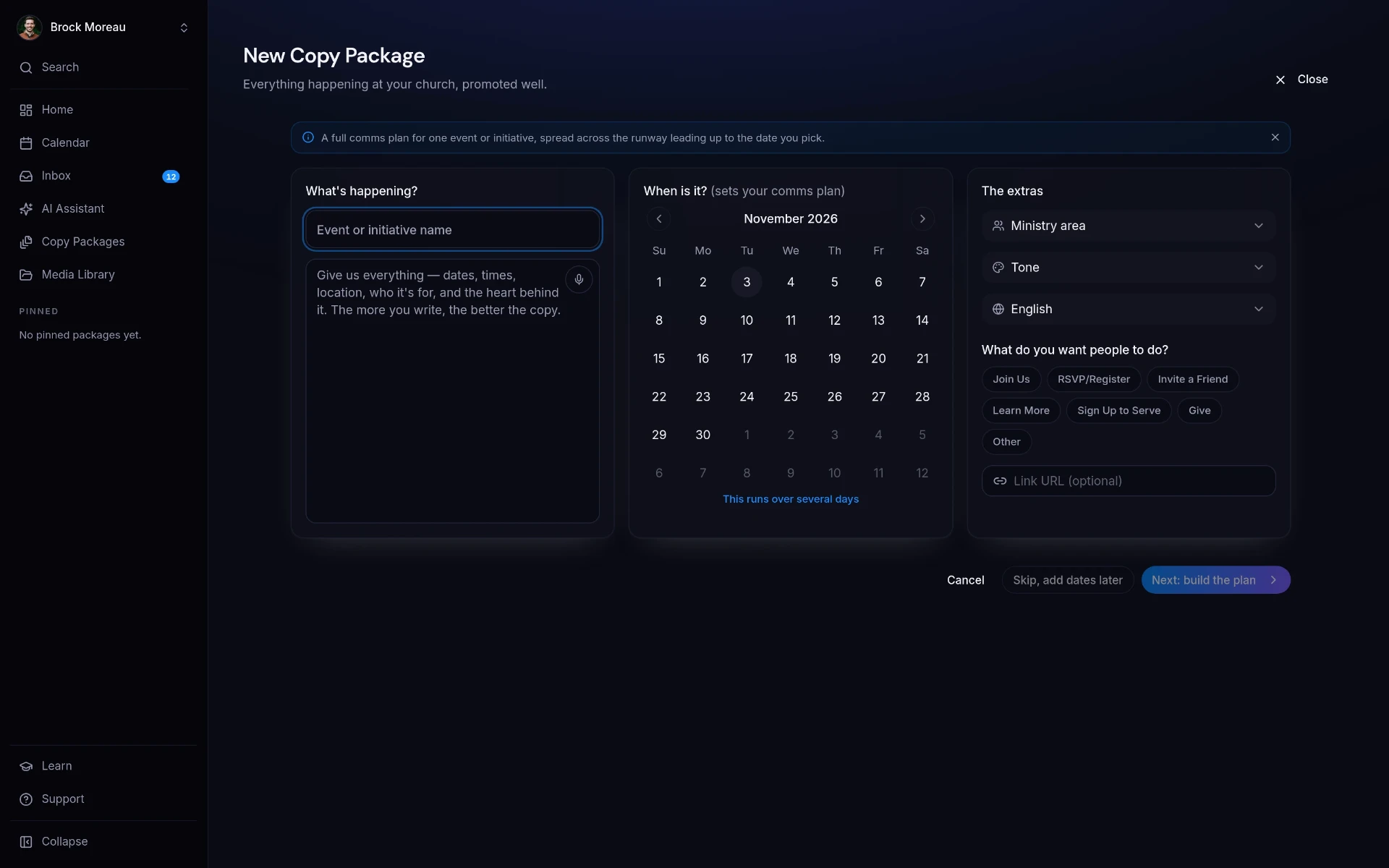
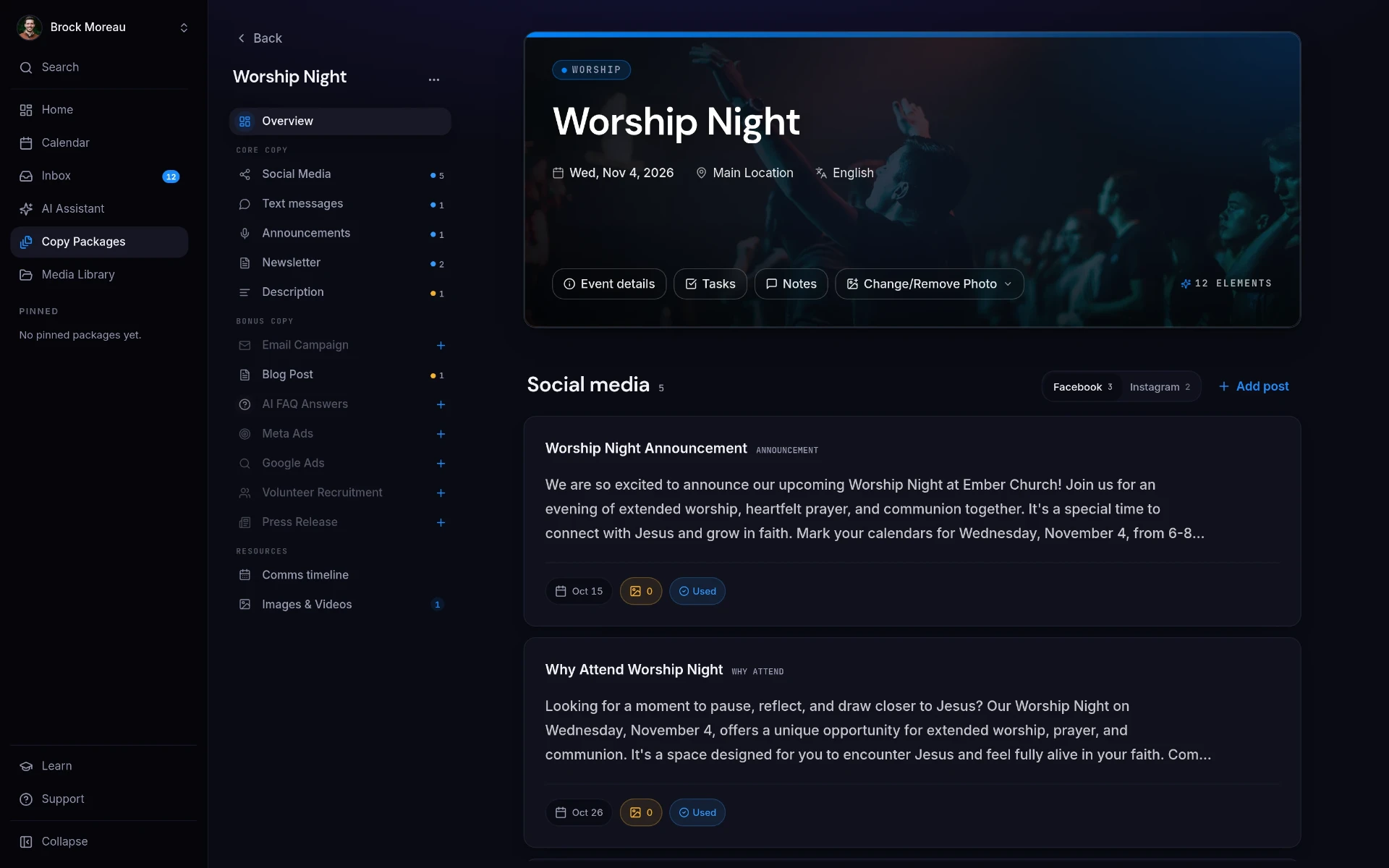
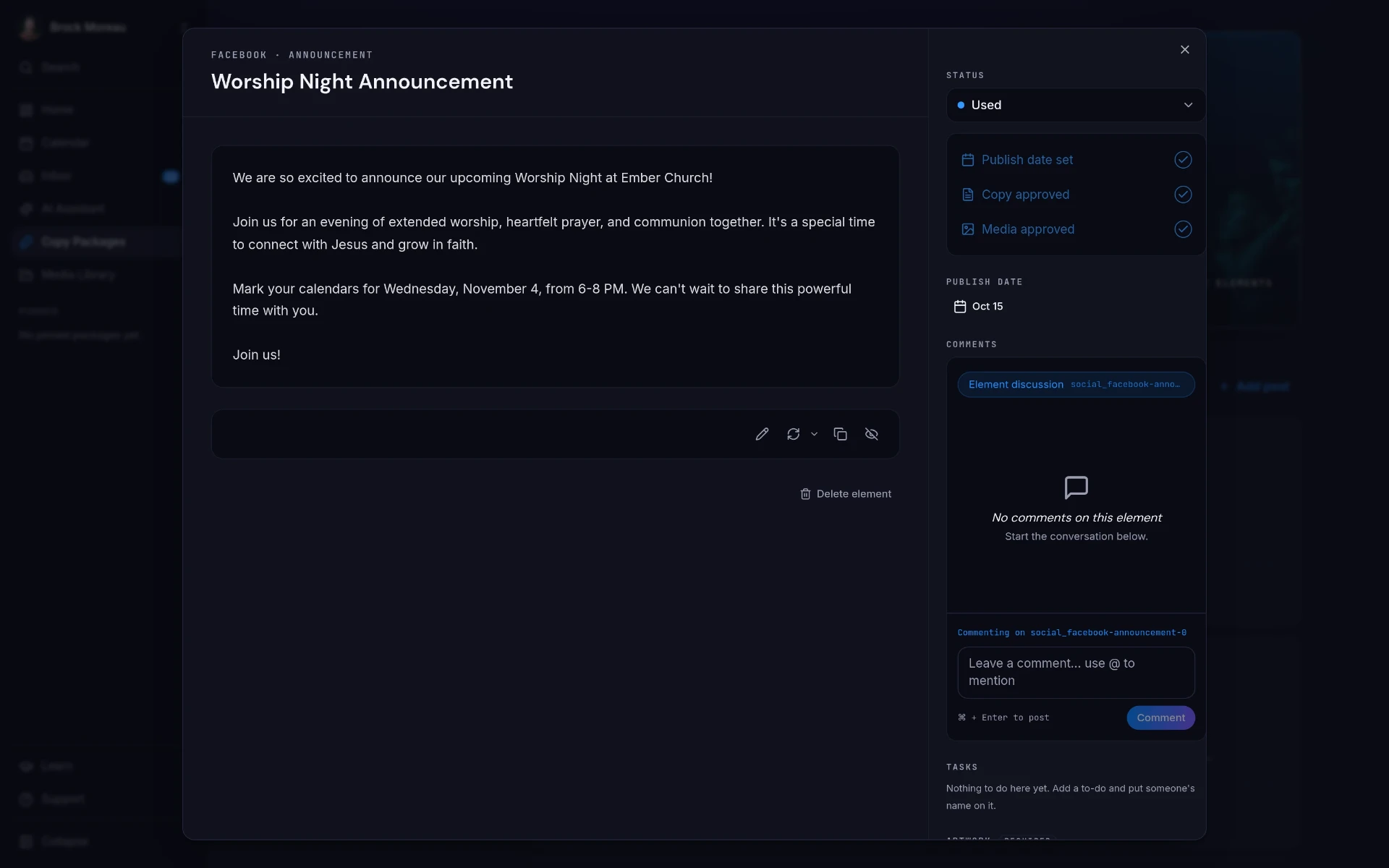
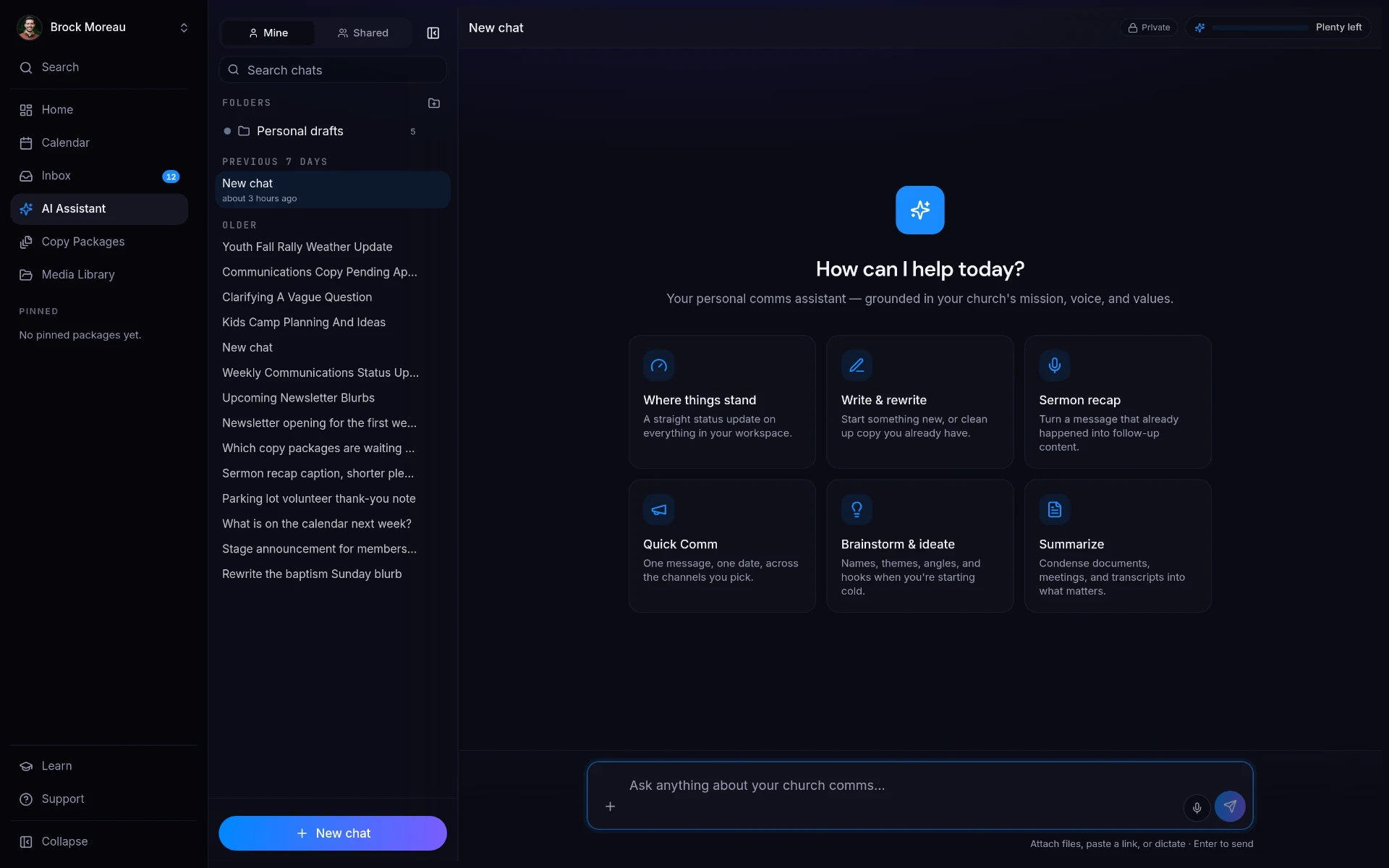
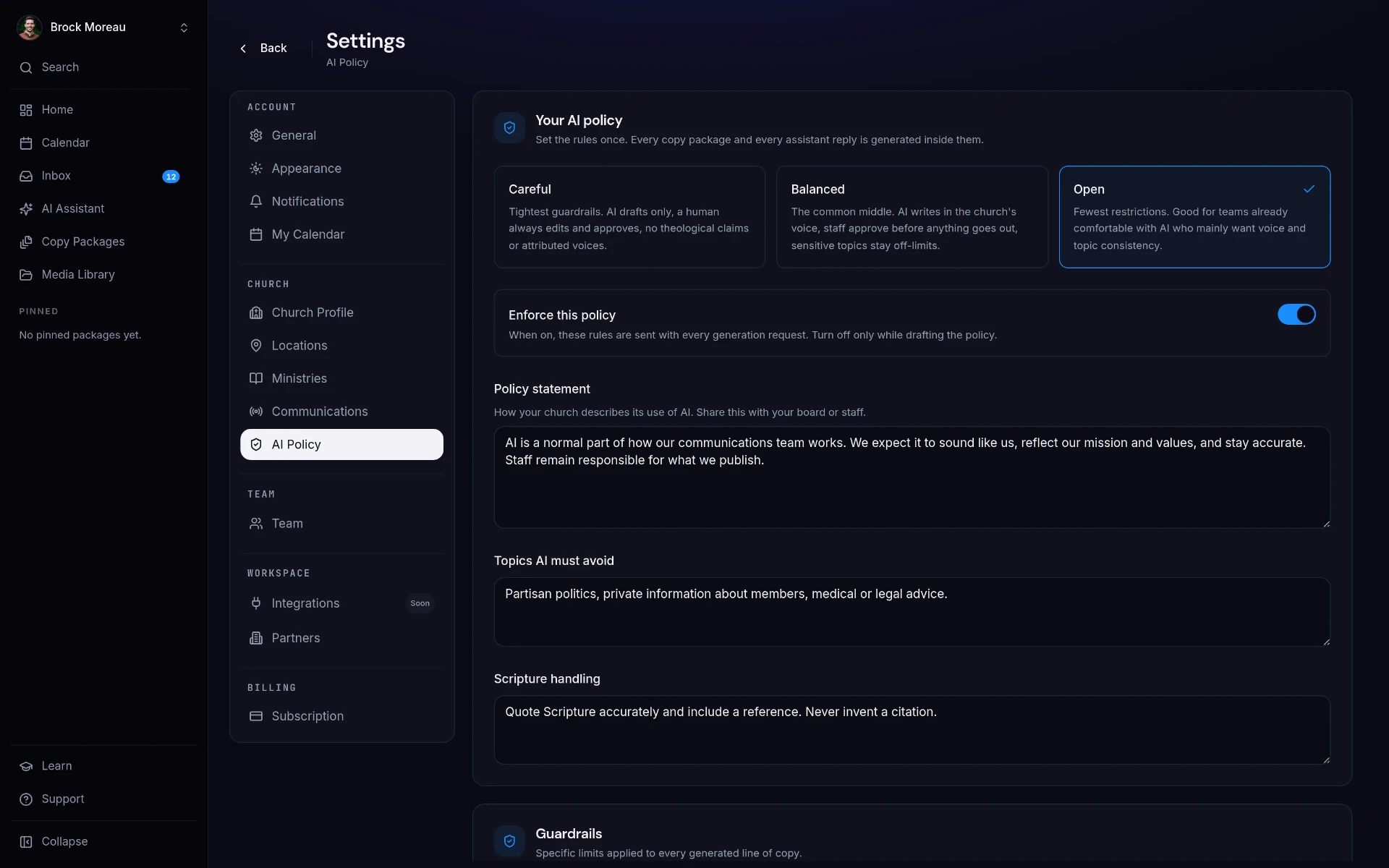
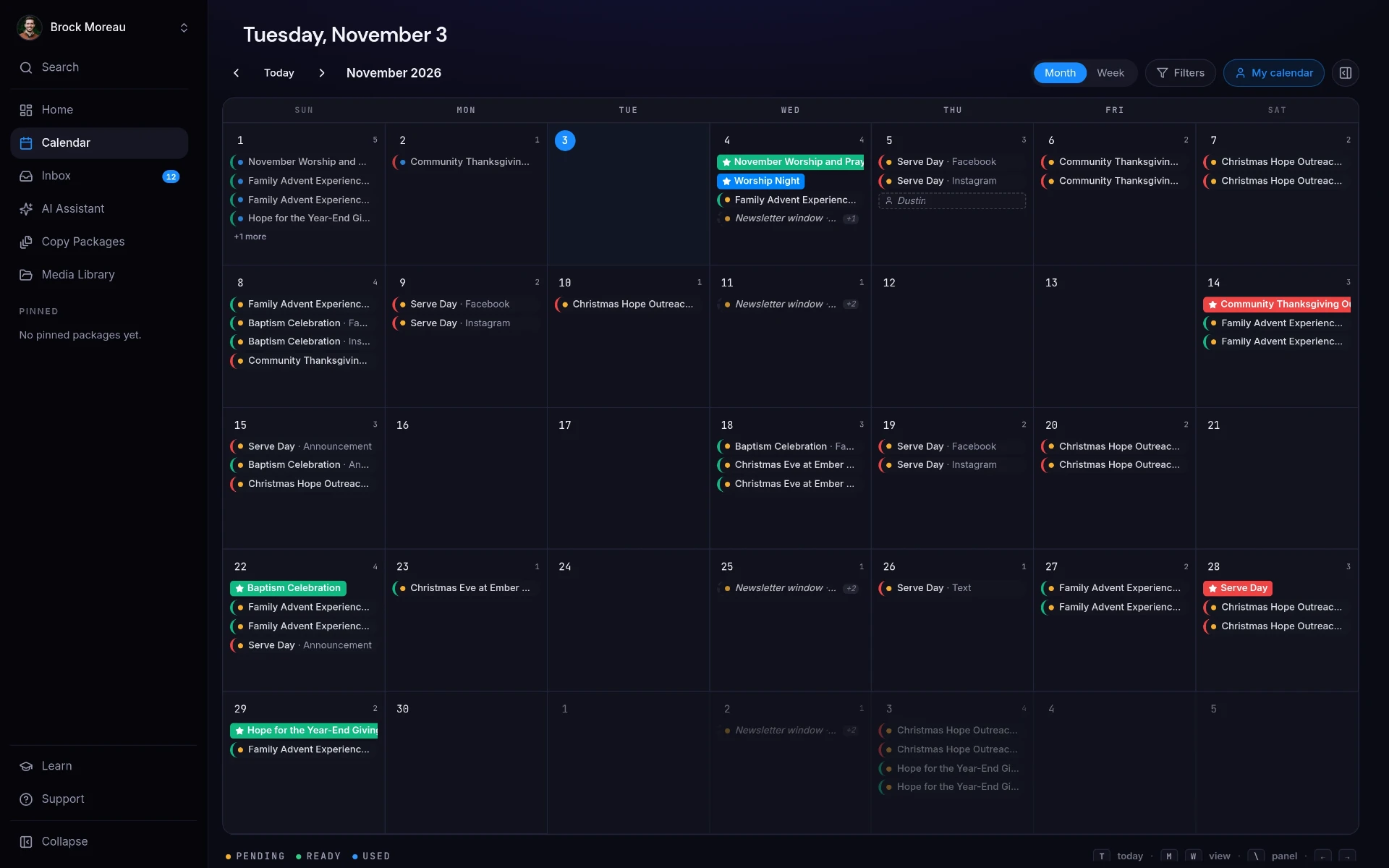
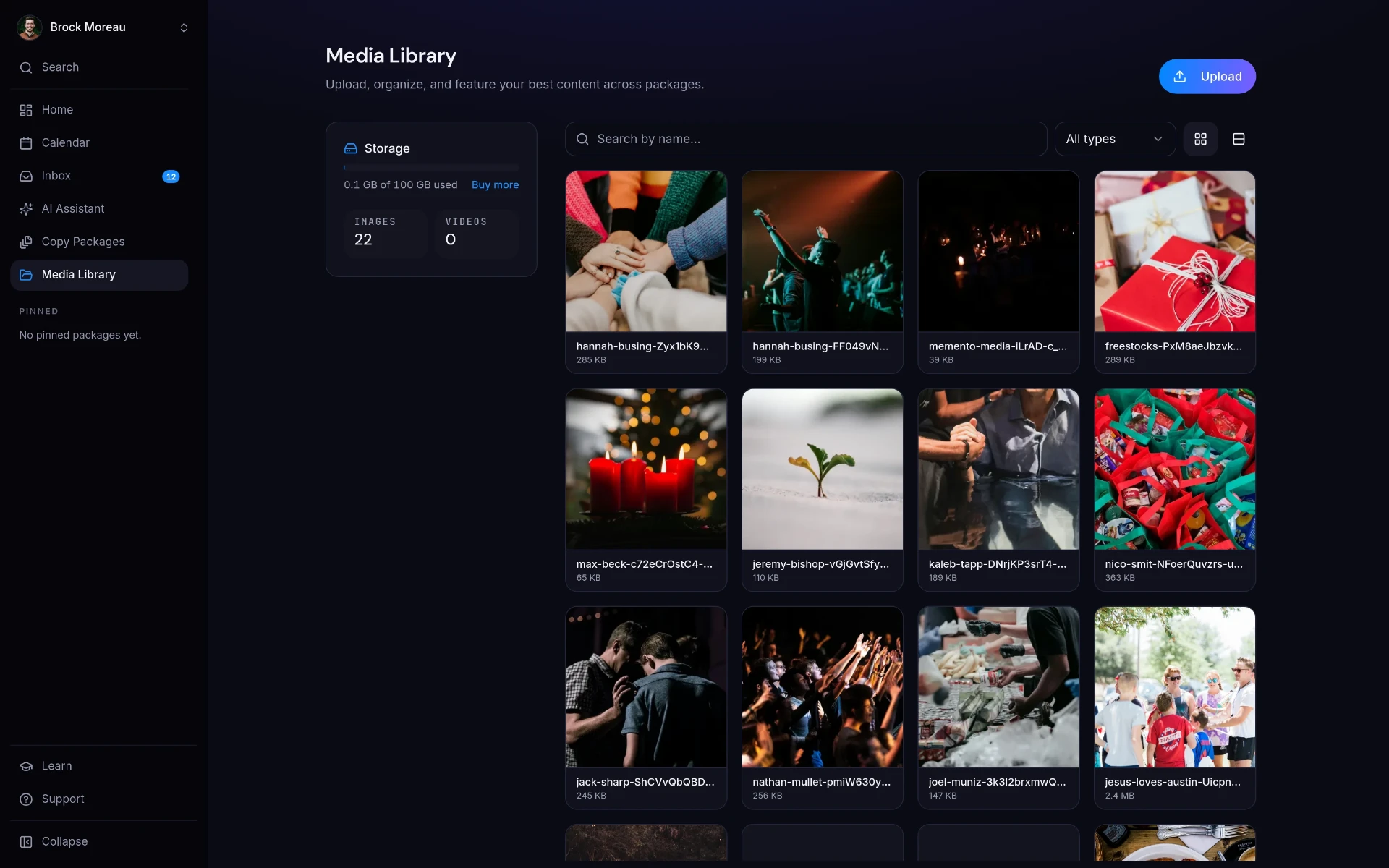
01Dashboard
Start with what's coming up (an event, Sunday's sermon, or a quick message) and see every package you're working on at a glance.
It remembers your church.
Other AI tools make you explain who you are every single time. Add your beliefs, voice, and AI policy once. ChurchCopy checks them before every word it writes.
Your beliefs, built in
Mission, vision, values, and statement of faith shape every draft. Nothing drifts off-theology.
Your voice, every time
Set your tone once. Your newest volunteer sounds just like your senior pastor.
Your rules, enforced
Leadership sets the AI policy and guardrails. They apply to everyone, on every prompt.
Every prompt
Reviewing settingsMission & vision
Helping people find and follow Jesus
Statement of faith
Loaded · 12 core beliefs
Tone
Warm · Hopeful · Plain-spoken
AI policy
Careful · Enforced for all seats
Guardrails
No pastor first-person · Human review required
Draft ready
“This Sunday, we're gathering for a night of worship and prayer. Bring a friend. There's a seat saved for you.”
Set it once. Write all year.
Tell us who you are
Add your mission, beliefs, tone, and AI policy. It takes about 15 minutes, and you only do it once.
Ask for anything
Describe an event or series once. Get a full copy package across every channel, already planned on your ChurchCopy calendar. Or chat with your AI assistant for quick one-offs.
Review and approve
Edit, comment, and approve with your team. Then copy each piece into the tools you already use. Every word sounds like your church.
“ChurchCopy has fulfilled a need and alleviated a consistent pain point for us. Writing copy that maintains our church's voice and identity has become a few minutes of work instead of a long back-and-forth editing process.”
Cheaper than a pizza party.
Two simple plans. 7-day free trial. No credit card required.
ChurchCopy Lite
Simple & FastEverything you need to promote every event, organized.
or $100 / year billed annually
- Full copy packages, every channel
- Planning calendar
- Church voice, beliefs, and boundaries
- Unlimited generations
- Solo user
ChurchCopy Pro
Most PopularEverything in Lite, plus tools for growing teams.
or $200 / year billed annually
- Everything in Lite
- AI Assistant
- Media library
- Tasks, comments, and approvals
- Add collaborators, viewers free
Start on either plan. Switch anytime from your billing settings.
Questions churches ask us.
What is ChurchCopy.ai?+
ChurchCopy.ai is an AI-powered church communications workspace for creating, reviewing, and organizing weekly ministry content. It helps church teams turn event details, ministry ideas, and sermon transcripts into coordinated emails, social posts, text messages, newsletter blurbs, announcements, prayer guides, study guides, and blog content in their church’s voice.
What can the ChurchCopy AI Chat Assistant do?+
Think of the AI Chat Assistant like ChatGPT, but built for churches. It runs on Gloo's faith-aligned AI and uses your church's saved Identity & Voice, AI Policy, and AI Guardrails every time it responds, so answers stay consistent with your mission, vision, values, and boundaries. You can brainstorm campaign and ministry ideas, draft or rewrite church communications, gather newsletter blurbs from active Copy Packages, and summarize a sermon transcript you upload or paste. From that transcript, it can create social posts, emails, a prayer guide, a study guide, and a blog draft.
What is a church AI policy, and why does a church need one?+
A church AI policy gives staff and volunteers shared boundaries for using AI responsibly and consistently. In ChurchCopy, leaders can choose a policy level, define prohibited topics, set expectations for handling Scripture, and require human review so generated content remains aligned with the church’s beliefs and publishing standards.
Which AI is best for church communications?+
The best AI depends on the work. A general chatbot can help one person brainstorm, but a church communications team publishing every week benefits from a church-specific workspace that remembers its voice, applies shared AI boundaries, organizes content into Copy Packages, supports review and approval, and keeps work visible on one calendar.
How can churches use AI for communications?+
Churches can use AI to turn one event brief into announcements, emails, social posts, text messages, and newsletter copy; brainstorm new ministry ideas; rewrite existing messages; and repurpose an uploaded sermon transcript. ChurchCopy keeps that work together with comments, approvals, statuses, to-do lists, and a shared communications calendar.
Can AI write church announcements, emails, newsletters, and social posts?+
Yes. In ChurchCopy, one event brief can become a coordinated Copy Package with channel-specific announcements, emails, newsletter blurbs, social posts, and text messages. Your team can edit each item, leave comments, track its status, and approve it before publishing.
Can AI summarize a sermon transcript?+
Yes. Upload or paste a completed sermon transcript into ChurchCopy’s AI Chat Assistant, then ask it to summarize the message or repurpose it into social posts, emails, a prayer guide, a study guide, and a blog draft. ChurchCopy does not transcribe audio, video, or YouTube links.
How does ChurchCopy keep AI content consistent with a church’s voice and beliefs?+
Each ChurchCopy workspace can store the church’s mission, vision, statement of faith, tone, values, and language preferences. AI Policy and AI Guardrails add boundaries for sensitive topics, Scripture handling, naming people, political or cultural issues, disclosure, and human review before content is published.
Does ChurchCopy replace a church management system or email platform?+
No. ChurchCopy creates and organizes communication before it is published. Churches can continue using their existing church management system, website, social networks, and email platform to manage people and send finished messages.
How do churches save time with AI?+
The time comes from removing repeat work, not from typing faster. One event description becoming every channel at once, newsletters assembled from work you already did, and approvals that live with the copy instead of in Slack threads are where church teams get their week back.
Can AI write our church newsletter automatically?+
Yes. Ask the ChurchCopy assistant for your upcoming newsletter blurbs and it pulls them from every active copy package, organized by ministry, ready to paste into your email tool.
Who is ChurchCopy.ai for?+
Communication directors, creative pastors, executive pastors, and small church staff who wear the comms hat. Any team writing weekly church communication for Kids, Students, Worship, Outreach, Discipleship, or Small Groups will benefit.
How is V2 different from V1?+
V1 helped 500+ churches save time writing copy. V2 adds an AI assistant that knows your church. It builds your newsletter from what's already scheduled and turns an uploaded sermon transcript into a full recap, plus a unified communications calendar, approvals on every piece of copy, ad generation, and coming-soon integrations. It's built for the whole comms team, not just the pastor.
Is our data private and secure?+
Your church's content, brand profile, and sermon transcripts stay yours. We never train public models on your data, and we don't sell it. You can export or delete your workspace at any time.
Do you offer a free trial?+
Yes. Every account starts with a 7-day free trial. No credit card is required, there are no long-term contracts, and you can cancel anytime.
What is the best AI for church communications?+
The best AI for church communications is one that remembers your church. A general chatbot starts from a blank prompt every time, so every staff member gets a different voice. ChurchCopy.ai is built for church communications teams: it stores your mission, vision, statement of faith, tone, and AI policy, turns one event brief into announcements, emails, newsletters, bulletins, and social posts, and keeps review, approval, and scheduling on one shared calendar.
Can AI write church announcements?+
Yes. Give ChurchCopy the event name, date, audience, and the action you want people to take, and it writes the announcement for each channel (stage script, email, text message, bulletin line, and social caption) in your church's voice. Someone on your team still reviews and approves it before it goes out.
What is the best AI church newsletter generator?+
A church newsletter generator should assemble the newsletter from work your team has already done rather than inventing content. In ChurchCopy, the AI Chat Assistant gathers newsletter blurbs from every active Copy Package, groups them by ministry, and writes an intro in your church's tone, so the newsletter is ready to paste into your email platform.
Is ChatGPT good for churches?+
ChatGPT is useful for one person brainstorming, but it forgets your church between sessions, has no shared AI policy, and keeps no record of who reviewed or approved a message. ChurchCopy runs on faith-aligned AI that is grounded in your church's saved identity and guardrails, and it keeps the whole team's work, comments, approvals, and calendar in one place.
Can AI write church emails and bulletins?+
Yes. ChurchCopy generates church emails, bulletin blurbs, text messages, and social posts from a single brief, each written for its channel and length. Every piece stays inside the AI policy and guardrails your leaders set, and nothing publishes without human review.
Ready to simplify your message?
Start free for 7 days. No credit card required.