Quick answer: For one person, ChatGPT and ChurchCopy cost about the same. For a church team, ChurchCopy is cheaper and safer. A paid ChatGPT plan is about $20 per person per month with no shared rules. ChurchCopy is $20 for the first Pro seat and only $10 for each extra seat, with your AI policy and church settings built into every prompt.
This is the final piece in our series on choosing the safest AI for churches. Safety comes first, but budgets are real. Here is the math.
What churches actually pay for AI today
Many churches never decided to buy AI. It just showed up. One staff member paid for ChatGPT on a church card. Then another. Then a volunteer asked for one. Now you may have four or five separate subscriptions, each billed on its own, each with its own habits and no shared rules.
The side-by-side cost
| Team size | Paid ChatGPT (about $20/person) | ChurchCopy (Pro: $20 + $10/extra collaborator) | Monthly savings |
|---|---|---|---|
| 1 person | $20 | $20 | $0 |
| 2 people | $40 | $30 | $10 |
| 3 people | $60 | $40 | $20 |
| 5 people | $100 | $60 | $40 |
| 8 people | $160 | $90 | $70 |
| 10 people | $200 | $110 | $90 |
From two people on, ChurchCopy costs less. At ten people, a church saves more than $1,000 a year. On top of that, ChurchCopy includes unlimited free viewers, so ministry leaders and volunteers who only need to view and copy finished content do not need a paid seat at all. See full details on our pricing page.
What you get for the money
Price is only half the story. Here is what each option includes for a church team.
Separate ChatGPT accounts
- A general-purpose AI chat
- No shared church settings
- No AI policy leadership can enforce
- No shared calendar, approvals, or team view
- Every person starts with a blank prompt
ChurchCopy
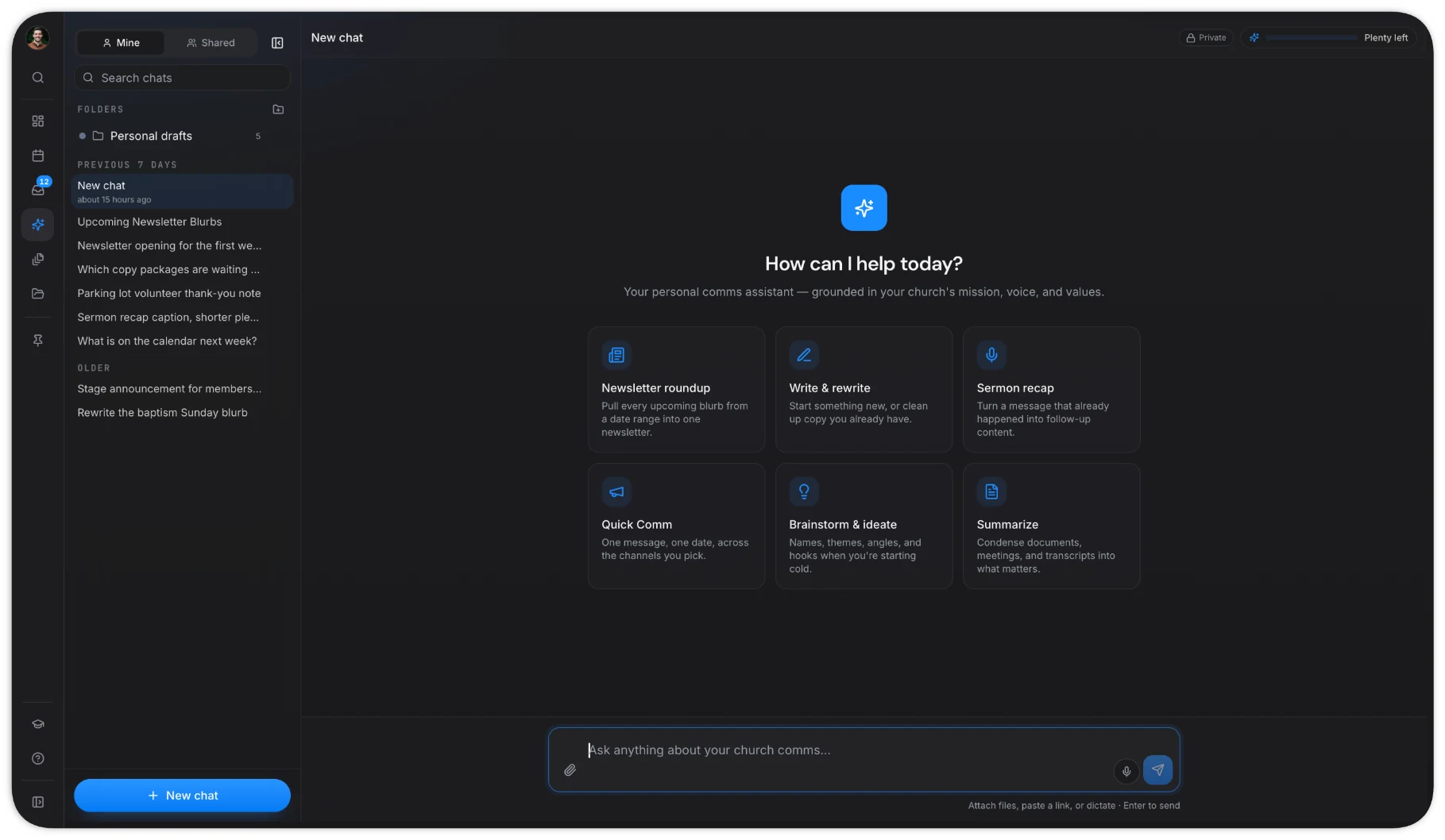
- An AI Chat Assistant that feels like ChatGPT but knows your church
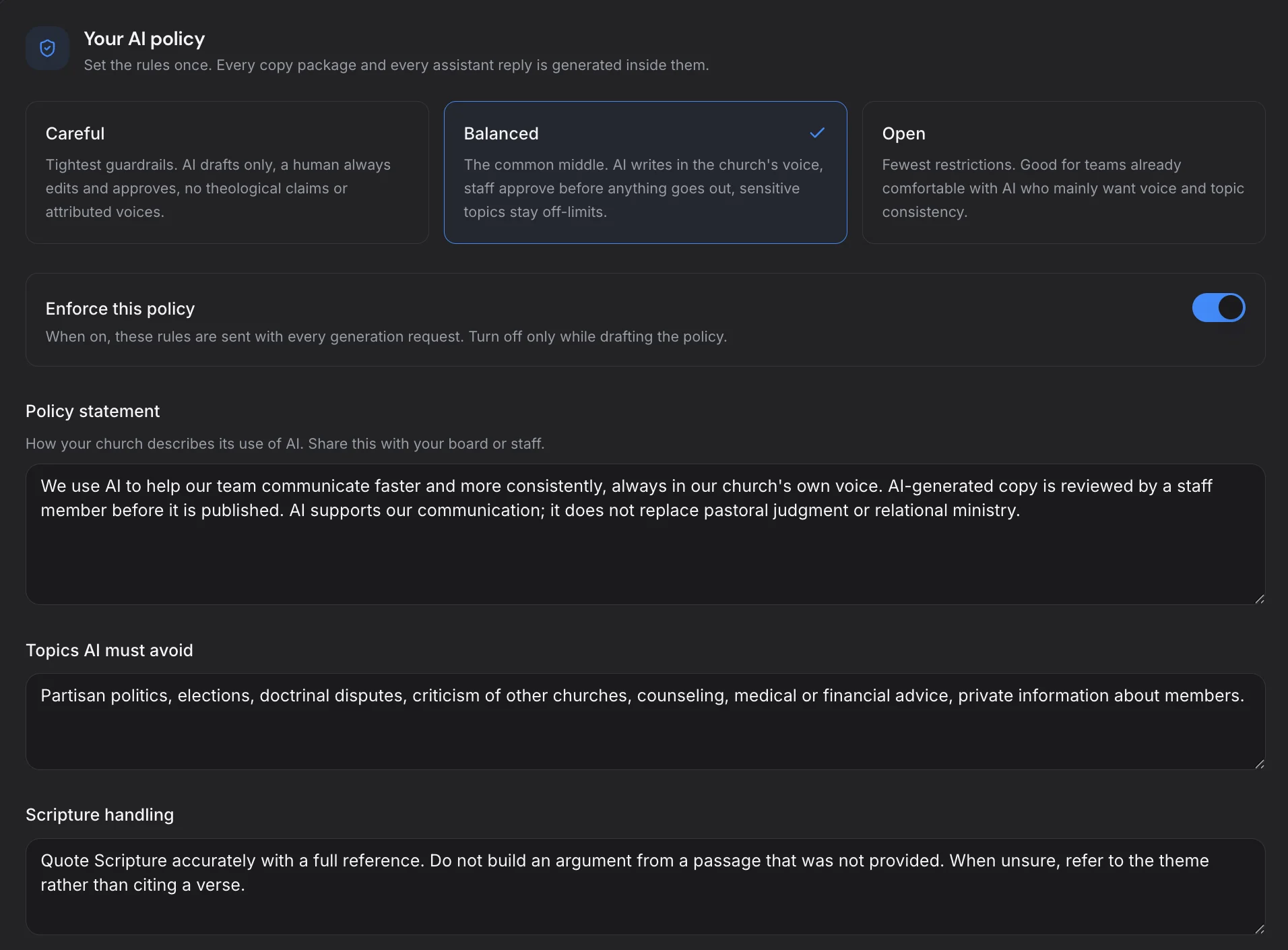
- Mission, vision, values, statement of faith, and tone in every prompt
- A built-in AI Policy and guardrails
- Complete copy packages: social posts, emails, texts, newsletters, announcements, ads, and more
- A shared communications calendar
- Review and approval with comments and statuses
The hidden costs of "cheap" AI
A tool can look cheap and still cost you. With separate generic AI accounts, churches pay in other ways:
- Rewrite time — fixing off-brand tone in every draft
- Review time — leaders checking content with no shared system
- Trust — one rogue post about a sensitive topic can undo years of goodwill
- Training — re-explaining your voice to every new person and every new chat
Read more about this in the rogue prompt problem.
Who needs a paid seat?
Pay for the people who create content, approve it, and use AI Chat. That is usually your communications lead, a pastor or two, and key ministry leaders. Everyone else can be a free viewer who opens packages and copies finished text.
How to switch without disruption
- List every AI subscription your church pays for today.
- Decide who creates and approves content. Those are your paid seats.
- Set up your church settings and AI Policy in ChurchCopy.
- Invite everyone else as free viewers.
- Cancel the separate accounts once your team is comfortable.
The bottom line
For a church team, the safest AI is also the more affordable one. You stop paying full price per person for tools that share no rules, and start paying less for one workspace where every prompt follows your AI policy.
Try for free and see what your team would save.