Quick answer: A PDF AI policy tells people the rules. Built-in guardrails make the AI follow them. Churches need both, but only built-in guardrails protect you when someone is in a hurry. The safest AI tools for churches let leadership set the policy inside the software, so every prompt follows it automatically.
This is part of our series on choosing the safest AI for churches instead of chasing "best AI" lists.
The life of a typical church AI policy
It usually goes like this. A pastor reads about AI risks. The staff talks about it. Someone drafts a two-page policy. The elders approve it. It gets saved in a shared drive and emailed to the team.
Three months later, ask your team where the policy is. Most will not know. A few new volunteers have never seen it. And nobody opened it before writing last week's posts.
That is not because your team does not care. It is because a document cannot follow someone into a chat window.
What a PDF policy can and cannot do
A written policy can:
- Show your leadership has thought about AI
- Set expectations for staff and volunteers
- Give you something to point to when there is a problem
A written policy cannot:
- Stop a volunteer from pasting a prayer request into ChatGPT
- Keep AI from wording doctrine in a way you would not
- Make five people sound like one church
- Update itself inside everyone's tools when the rules change
What built-in guardrails look like
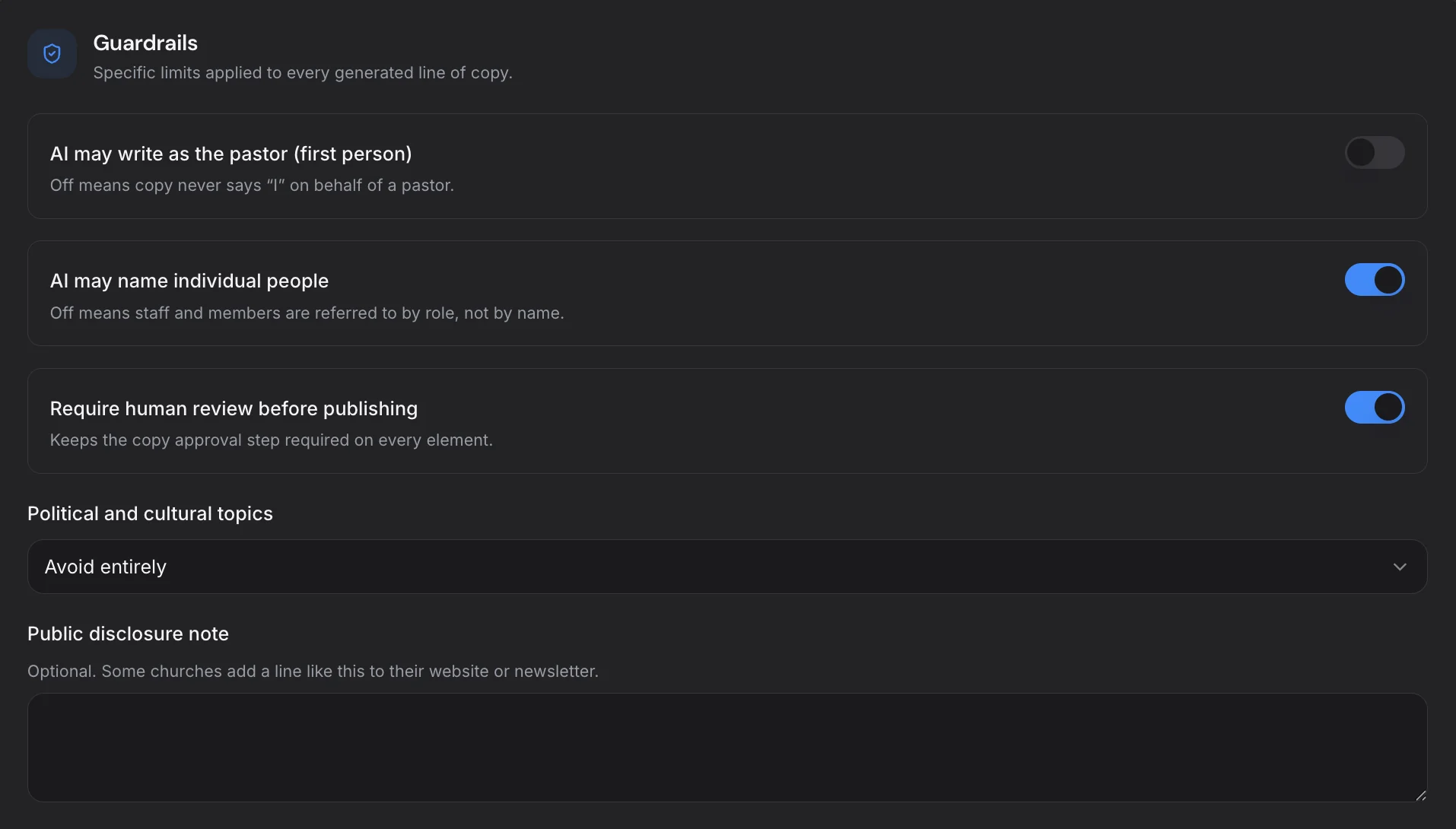
Built-in guardrails turn your policy into settings the AI must follow. In ChurchCopy, leadership sets:
- Policy level — how strictly AI should stay within your boundaries
- Topics to avoid or send to a pastor for review
- Scripture handling — your preferred translation and how verses are quoted
- Human review — content is approved before it ships
- Identity — mission, vision, values, statement of faith, and tone
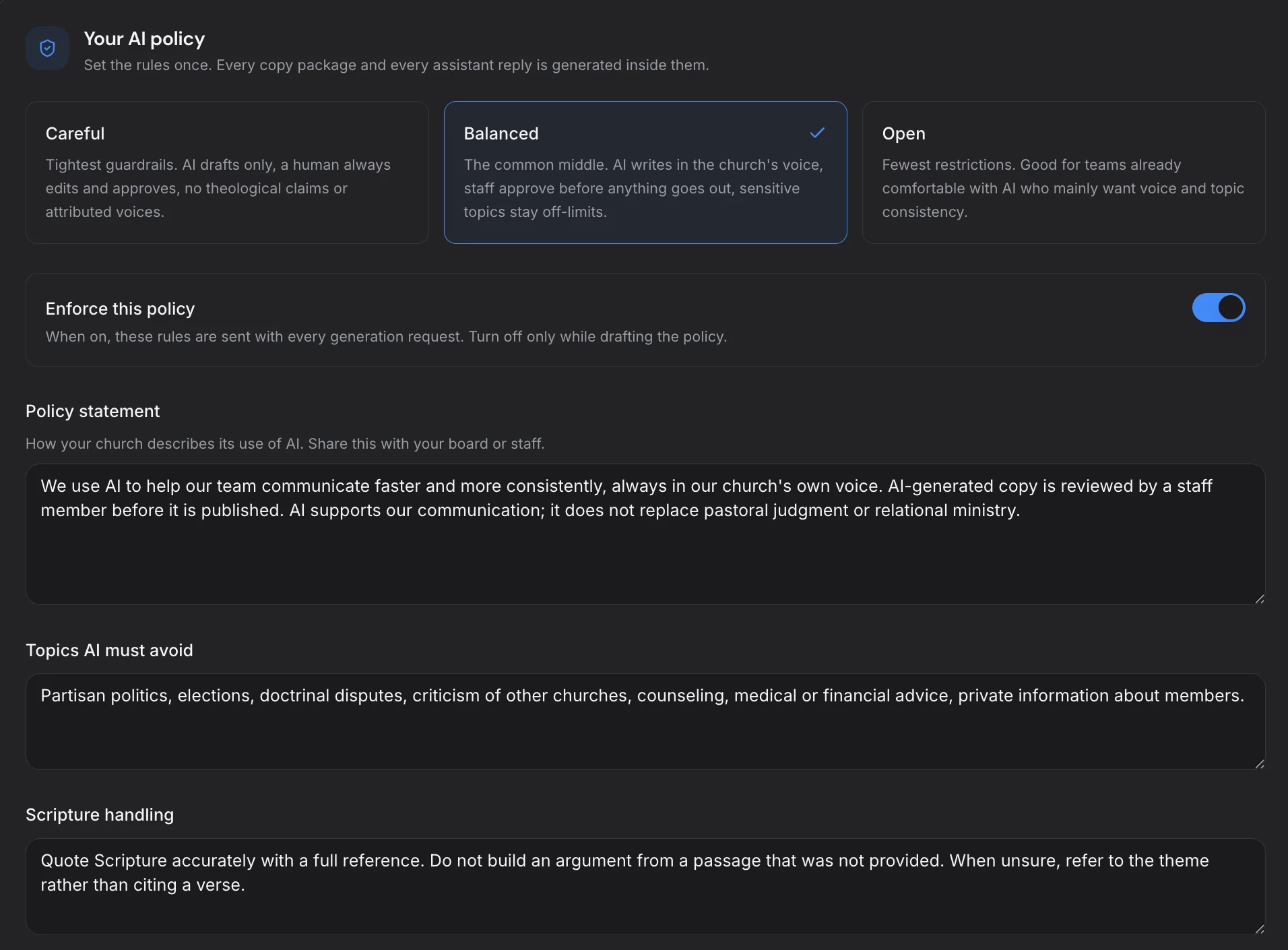
Once saved, these settings are part of every copy package and every AI Chat conversation. Nobody needs to remember them. Nobody can skip them.
Why "the AI policy generator" matters
Many churches never write a policy because they do not know where to start. That is why it matters whether a tool has an AI policy generator built in. ChurchCopy helps you set your policy right in the app, then puts it to work immediately. If a church AI tool has no place to set an AI policy, that tells you its makers did not design for safety first.
Keep your written policy, too
Built-in guardrails do not replace a written policy. You still want a document your board approves and your team signs. It explains the "why." The guardrails handle the "how." Our ultimate church AI policy guide and our article on presenting your AI policy to elders can help you write it.
The best setup looks like this:
- Leadership writes and approves the policy.
- Those rules are entered into your AI tool's settings.
- Every prompt follows them automatically.
- Humans review content before it goes public.
- Leadership revisits the policy every quarter and updates the settings.
Guardrails for the whole team, at a church price
Guardrails only work if everyone uses the same tool. That is why seat price matters. ChurchCopy is $29 per month for the first seat and $10 per month for each extra seat, with unlimited free viewers who can view and copy content. Compare that with about $20 per person for separate ChatGPT accounts that share no rules at all. See pricing.
Questions to ask any church AI vendor
- Where do I enter our AI policy?
- Does it apply to chat and generated content, or only one of them?
- Who can change the guardrails?
- What happens when someone asks for something our policy blocks?
- Can content be reviewed before it is published?
If the answer to the first question is "you can paste it in each time," keep looking.
The bottom line
A policy in a folder is a good intention. A policy inside the tool is real protection. The safest AI for churches puts your rules where the writing happens. Learn more on our AI Policy & Guardrails page.
Try for free and set your church's guardrails in minutes.