


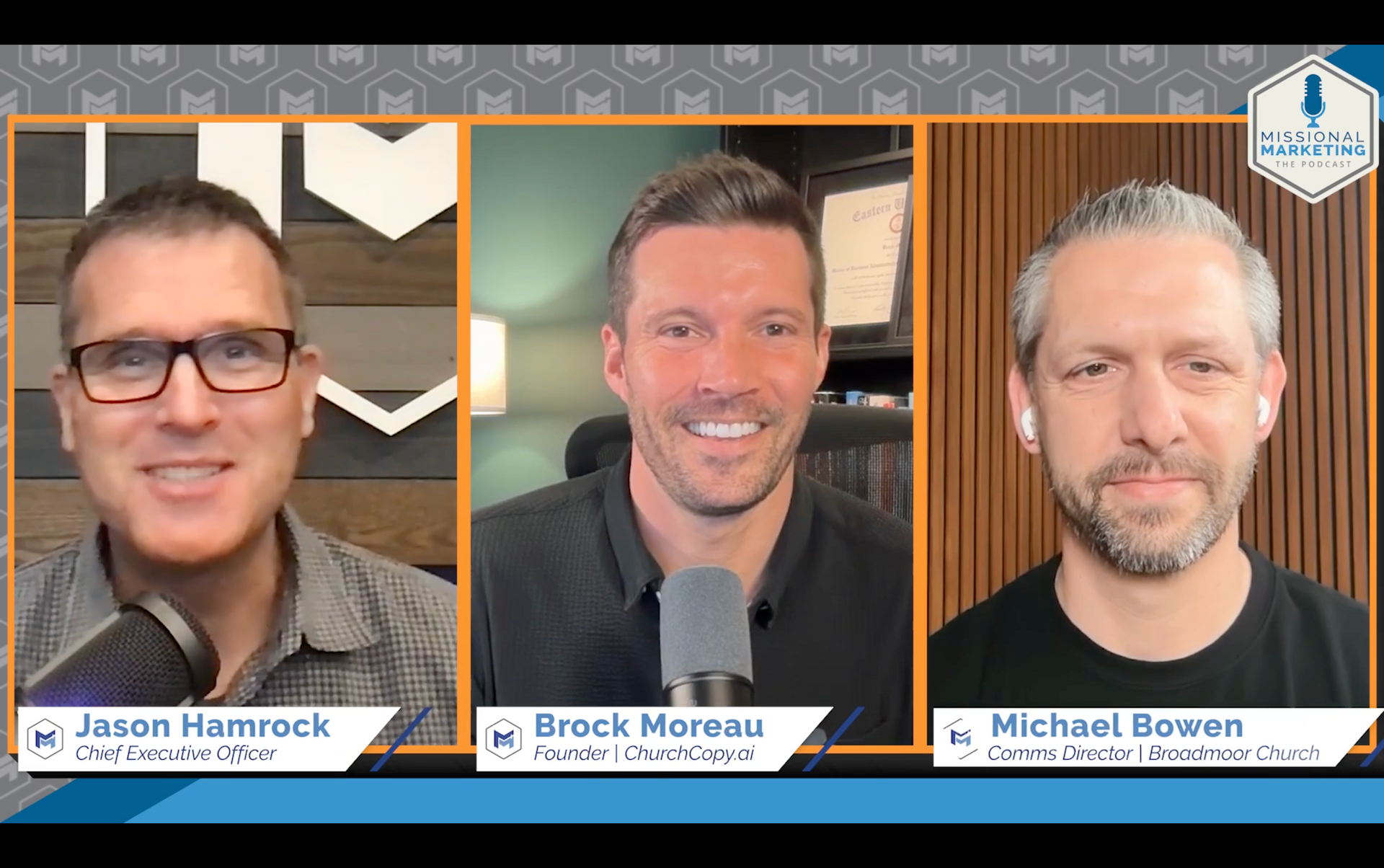
We were recently featured on the Church Growth Podcast by Missional Marketing to talk about how ChurchCopy helps churches communicate with more clarity, consistency, and less stress.

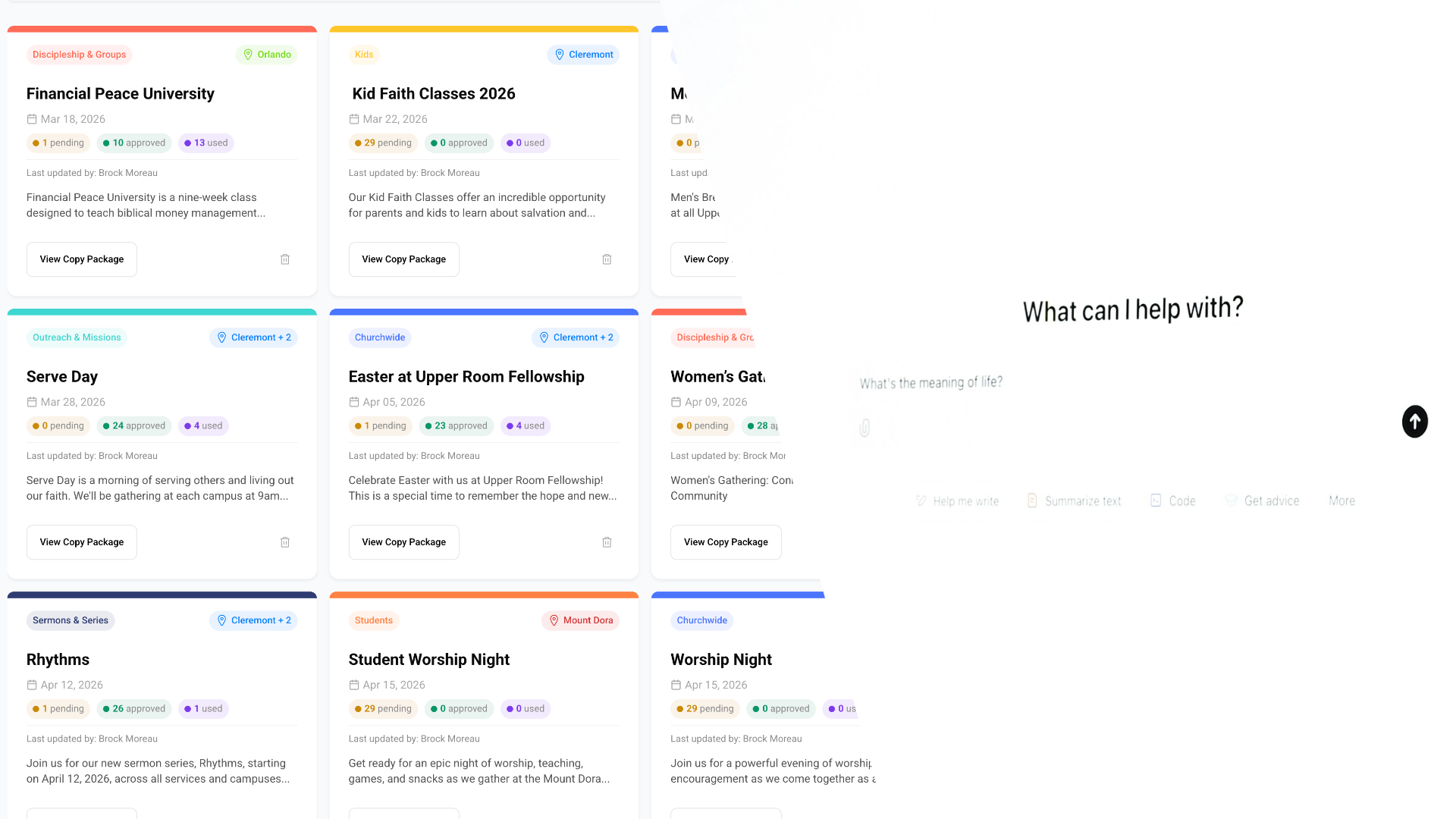
ChurchCopy is more than a copy generator. It’s becoming the communication system many churches use to organize messaging across ministries, events, and teams.
The body content of your post goes here. To edit this text, click on it and delete this default text and start typing your own or paste your own from a different source.

Artificial intelligence is quickly becoming part of the church communications toolkit. From writing announcements to creating graphics, editing sermon clips, and organizing newsletters, AI tools can help small church teams accomplish far more than they could even a few years ago. But not every AI tool solves the same problem. Some tools help generate text. Some help create images. Others turn sermons into clips. And a few platforms are beginning to help churches organize communication across ministries , not just generate content. In this guide, we’ll walk through the most useful categories of AI tools churches are using today. AI tools for writing and idea generation These tools are often the first place churches experiment with AI. They can help draft announcements, brainstorm social posts, or rewrite existing content. ChatGPT One of the most widely used AI writing tools. Churches often use it for brainstorming ideas, drafting emails, or rewriting content. Strengths • Flexible writing assistant • Good for brainstorming • Handles many different content types Limitations • Requires detailed prompting • Does not understand church context by default • Content often needs editing Claude Claude is another popular AI writing assistant known for producing natural sounding writing and handling longer documents. Strengths • Strong long-form writing • Good summarization • Helpful for expanding ideas Limitations • Still requires prompts • Not designed for church communication workflows Gemini Google’s AI assistant that integrates with Google Docs and other tools many churches already use. Strengths • Works inside Google Workspace • Helpful for editing and rewriting Limitations • Similar limitations as other general AI tools Where these tools fall short Most AI writing tools generate content, but they do not help teams collaborate, organize messaging across ministries, or retrieve content later . That often leaves churches copying text between AI tools, documents, and messaging apps. AI tools built for church communication workflows ChurchCopy.ai ChurchCopy.ai is designed specifically for church communications teams. Instead of writing prompts, users enter a simple description of something happening at their church. The platform then generates a full communication package. Typical outputs include: • Social media posts • Email announcements • Text messages • Stage announcement scripts • Newsletter blurbs Everything stays organized inside a central system so communication teams, ministry leaders, and designers can collaborate around the same messaging. For many churches, this helps replace scattered Google Docs, email threads, and disconnected AI prompts. AI tools for church social media and graphics Canva One of the most widely used design platforms in churches. Canva’s AI features can help generate images, expand graphics, and adapt designs for different platforms. Predis.ai AI-powered social media assistant that helps generate captions and plan social media content. SocialBee A social media scheduling and automation tool that can integrate AI-generated content into posting workflows. Invideo AI-assisted video creation platform used for quick social video production. AI tools for sermon clips and video content Churches are increasingly turning sermons into short clips for social media. These tools help automate that process. Descript Powerful video and podcast editing platform that includes transcription and AI editing features. Opus Clips AI tool designed to identify the most engaging moments in long videos and automatically create short-form clips. Sermon Shots A platform built specifically to help churches create sermon clips for social media. Pulpit AI An AI tool designed to help churches turn sermons into social content, summaries, and clips. Vidyo.ai AI video clipping tool that can repurpose long-form content into shorter clips. AI tools for image generation These tools can help create illustrations, backgrounds, or conceptual graphics. Midjourney One of the most popular AI image generators for creating artistic visuals. DALL·E OpenAI’s image generation tool capable of producing images from text prompts. Stable Diffusion Open-source AI image generator used by designers and developers. Ideogram An AI image tool known for generating visuals with embedded text. Multi-purpose AI platforms Some platforms combine multiple AI capabilities. CastMagic Used for turning audio or video content into summaries, notes, and other written assets. Magai AI workspace designed to combine multiple models and tools. Blaze.ai AI content creation tool designed for marketing workflows. SermonSpark.ai An AI platform focused on sermon and ministry-related content generation. Choosing the right AI tools for your church The best AI tools for your church depend on the type of work your team does most often. If your biggest challenge is writing content , general AI tools may be helpful. If your team needs help with graphics or video , design and editing tools can save time. But many churches are discovering their biggest problem is not generating content. It is organizing communication across ministries and channels . When events, announcements, graphics, emails, and social posts live in different places, communication becomes difficult to manage. That’s where newer tools designed specifically for church communication workflows are beginning to make a difference. The future of church communication AI will not replace the voice or leadership of a church. But it can remove much of the friction involved in communicating what is happening. The most valuable tools will not simply generate content. They will help churches bring clarity, consistency, and collaboration to everything they communicate. And for many church teams, that clarity is exactly what they have been missing.

Easter is the most attended Sunday of the year for many churches. But for communication teams, it can also be one of the most stressful. Between service planning, volunteers, and ministry events, promotion often gets pushed to the last minute. The good news is that even if Easter is only a few weeks away, there are still a few simple things that make the biggest difference. Here’s a simple Easter communication timeline many churches use. 4–6 Weeks Before Easter This is when churches typically start preparing. Focus on clarity and visibility. What to communicate: • Easter service times • Location details • Childcare availability • Any special services or events Where to communicate: • Website homepage • Email newsletter • Social media announcement • Sunday stage announcements Goal: Make sure people already connected to your church know Easter is coming. 3–4 Weeks Before Easter This is where promotion expands outward. The focus shifts from awareness to invitation . Communication ideas: • Social media invitation posts • “Who are you inviting?” Sunday stage moment • Shareable graphics or reels • Text message reminders Goal: Help your congregation start thinking about who they could invite. 2 Weeks Before Easter Now the communication should become more frequent and more visible. This is when most people start making plans. Focus on: • Service time reminders • Clear parking/location instructions • What guests can expect Content ideas: • Short invitation videos • Instagram/Facebook reminders • Email reminder • Website banner Goal: Make it extremely easy for someone to say “I should go to that.” Easter Week Communication should now focus on reminders and clarity. People are deciding weekend plans. Share: • Final service reminders • Weather or parking details • Kids ministry info • Invite encouragement Channels: • Email • Social • Text reminders • Sunday announcement Goal: Remove friction for guests. Easter Follow-Up (Most Churches Forget This) The real opportunity is after Easter . People who attend Easter are often open to returning. Ideas: • Thank-you email to visitors • “New here?” next step invitation • Small groups or next steps class • Social media recap Goal: Turn Easter attendance into ongoing connection. Use ChurchCopyAI to Expedite Your Easter Comms Plan Planning and coordinating Easter communication across email, social media, stage announcements, and multiple ministries can get complicated quickly. That’s one of the reasons we built ChurchCopy . ChurchCopy helps churches generate and organize all the communication needed for events like Easter in one place. So every ministry, platform, and message stays clear and consistent.
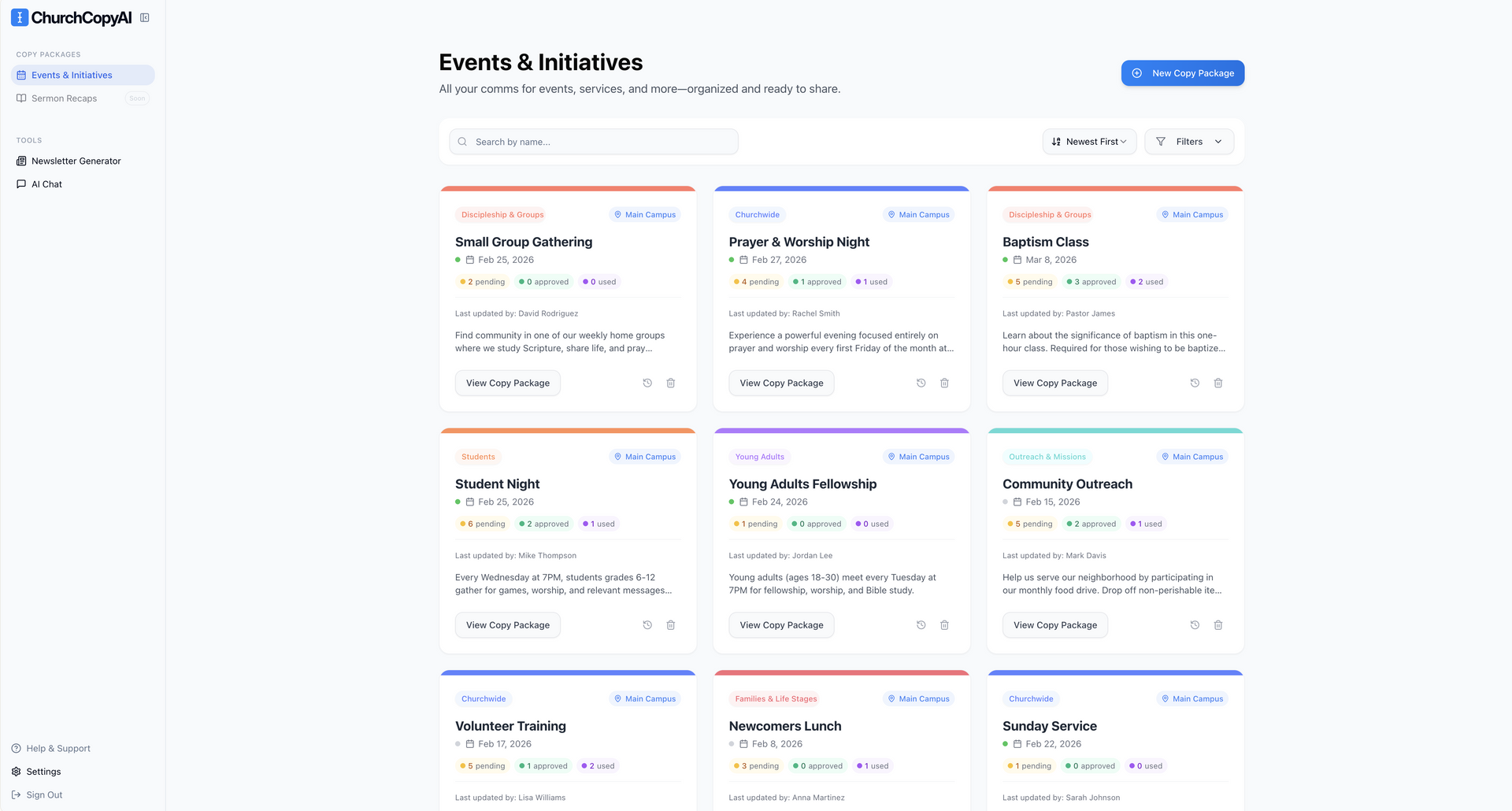
It’s been a little while since our last update, so I wanted to share what we’re building over the next few weeks. We’ve been listening closely to feedback from churches, and a few important improvements are on the way. 1. A New Left-Hand Navigation We’re redesigning the sidebar to feel lighter, cleaner, and more intuitive. The goal is simple: Make it easier to move around the platform and find what you need without visual clutter. It’s a small change on paper, but it improves the experience every time you log in. 2. A Faster, Smarter Creation Form We’re also updating the form you use to describe what’s happening at your church. The new version will: Help you enter information faster Feel less overwhelming Reduce unnecessary fields Guide you more clearly through the process The goal is to shorten the distance between “something’s happening” and a finished copy package. 3. Sermon Recaps After the navigation and form updates are live, we’ll begin rolling out Sermon Recaps. This will allow you to generate structured recap content from your sermon transcript or message notes — designed to support follow-up communication, newsletters, and social posts. We’re taking our time here to build it well and make sure it fits naturally into your existing workflow. And After That… We’re not slowing down. There’s more coming, including continued refinements and additional ways to support your communication workflow. As always, thank you for being part of this early group of churches shaping ChurchCopy. More soon.

Discover how ChurchCopy has evolved from a simple AI copy generator into a full church communication hub with faith-aligned AI through our Gloo integration.
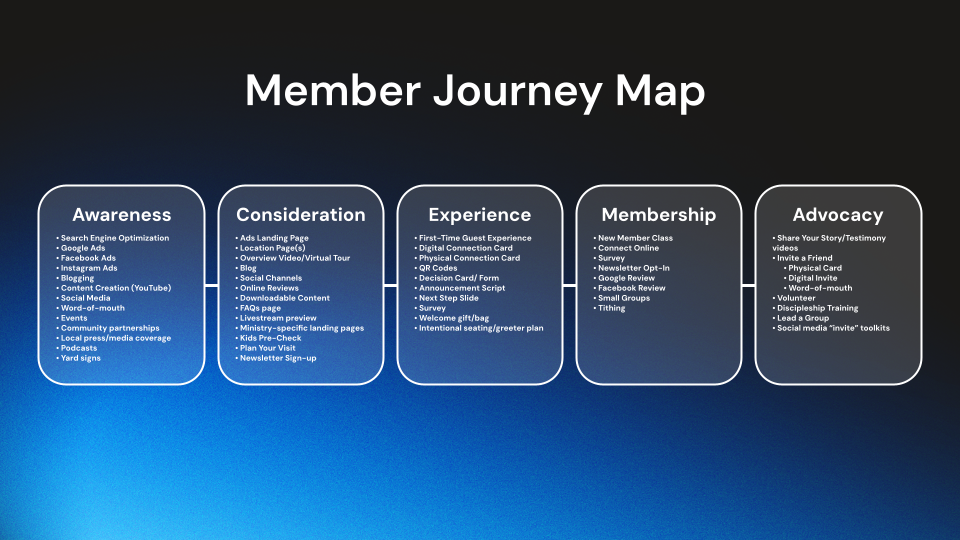
Church communication is complex. When you’re in charge, you’re not just managing one channel, you’re responsible for every ministry and every message. Kids. Students. Groups. Outreach. Worship nights. Seasonal activities. Sundays. And it never stops. Emails, texts, social posts, announcement scripts, and sometimes even print pieces. Without a framework, it’s easy to slip into survival mode: recycling old content, rushing last-minute announcements, or hoping a single post will be enough. But here’s the truth: when communication gets messy or inconsistent, people don’t just miss information. They miss opportunities to connect. And when they miss opportunities, they miss steps toward becoming a healthy, engaged part of your church. That’s where journey mapping comes in.

Discover why ChurchCopy.ai is the leading AI solution for churches in 2025, helping churches save hundreds of hours while reaching more people.

Discover ChurchCopy.ai’s new auto-summary feature for church newsletters. Instantly generate a clear, engaging intro for your weekly updates.
