ChurchCopy V2 is officially live. It is AI church communication software built to help church teams plan, write, review, and organize every message in one shared workspace. Your calendar, AI assistant, church identity, AI policy, dashboard, and Copy Packages now work together, so your team can spend less time chasing details and more time communicating with care.
ChurchCopy V1 helped more than 500 churches create clearer messages. Those churches also showed us that writing was only one part of the work. Communication teams needed a better way to see what was going out, keep people aligned, and make sure every message sounded like their church. That is the reason we rebuilt ChurchCopy from the ground up.
V2 moves your team out of scattered documents, spreadsheets, and separate AI chats. It gives staff and volunteers one place to turn an idea into a complete communication plan. Here is a high-level look at what is new and how the pieces work together.
See the whole week from one clean dashboard
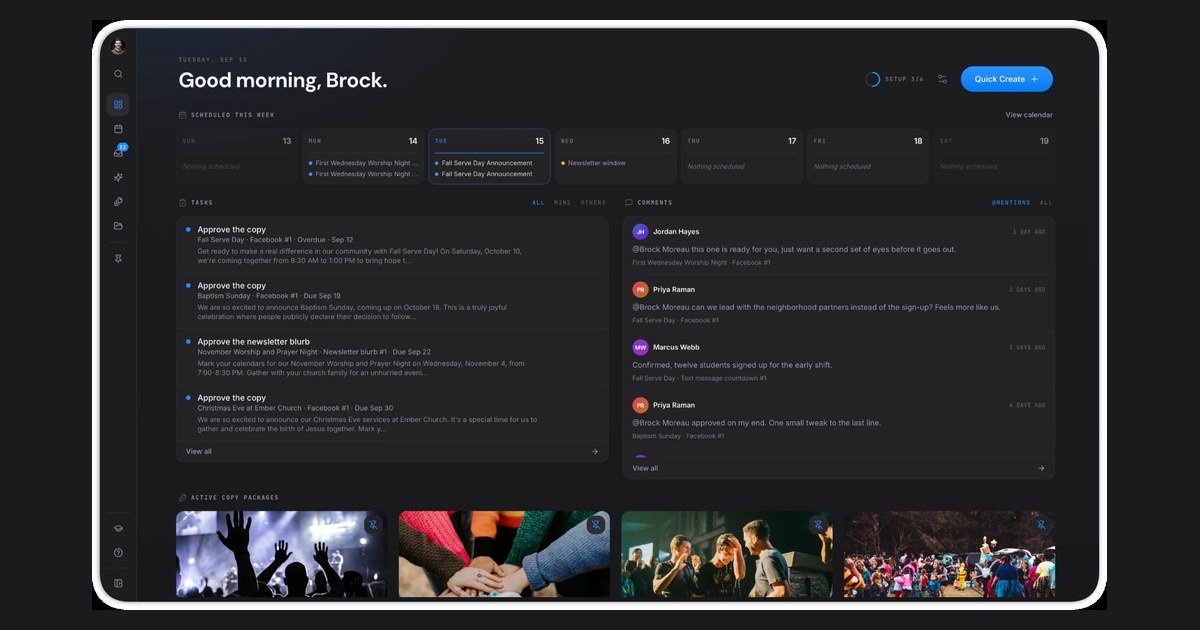
A church communications dashboard should answer a simple question: What needs our attention today? The new ChurchCopy dashboard brings the answer into one clear view.
You can see scheduled communications for the week, work waiting for review, recent team comments, and active Copy Packages. Instead of opening several tools to find the latest version of a message, your team can begin in the same place. That makes handoffs easier when pastors, ministry leaders, staff members, and volunteers all take part in the process.
The dashboard is designed to help you catch the next task before it becomes a last-minute problem. It does not replace good planning or human judgment. It makes both easier by keeping the work visible.
Plan every message on one communications calendar
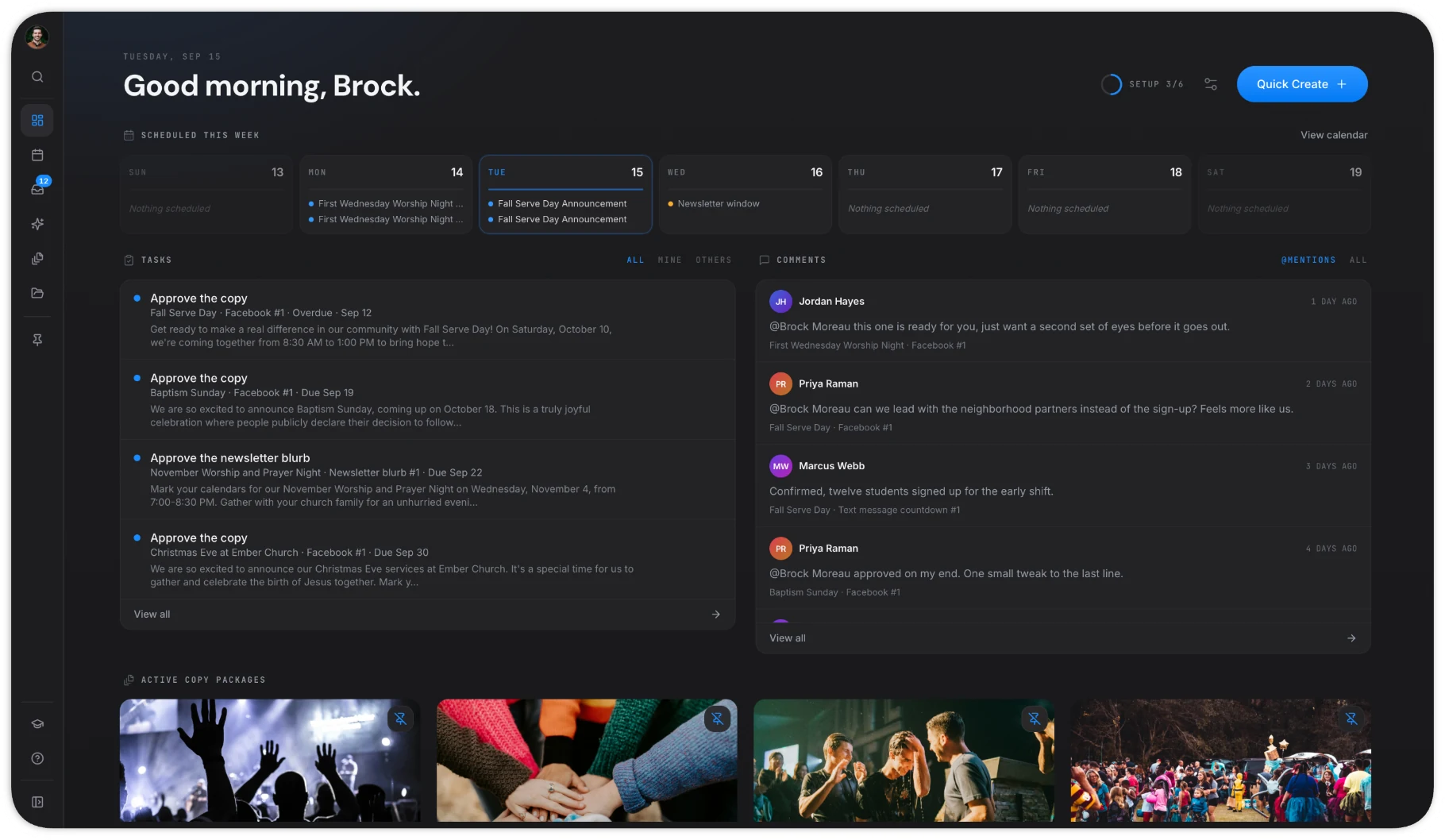
The communications calendar is one of the biggest additions in ChurchCopy V2. It shows when every piece of communication is planned to go out across your church.
A single event may need a stage announcement, email, text, social post, and newsletter section. Each message has its own best time. The calendar helps your team place those messages by date, ministry, and channel. You can see a full month at once and spot crowded days, missing reminders, or campaigns that overlap.
This shared view matters because church communication is rarely owned by one person. A ministry leader may request an announcement. A writer may create the email. A designer may add artwork. A communications director may approve the final plan. When everyone can see the same calendar, fewer details get lost between people.
The result is not simply a fuller calendar. It is a calmer process. Your team can plan ahead, spread messages across the right days, and give each ministry the attention it needs.
Chat with AI that starts with your church
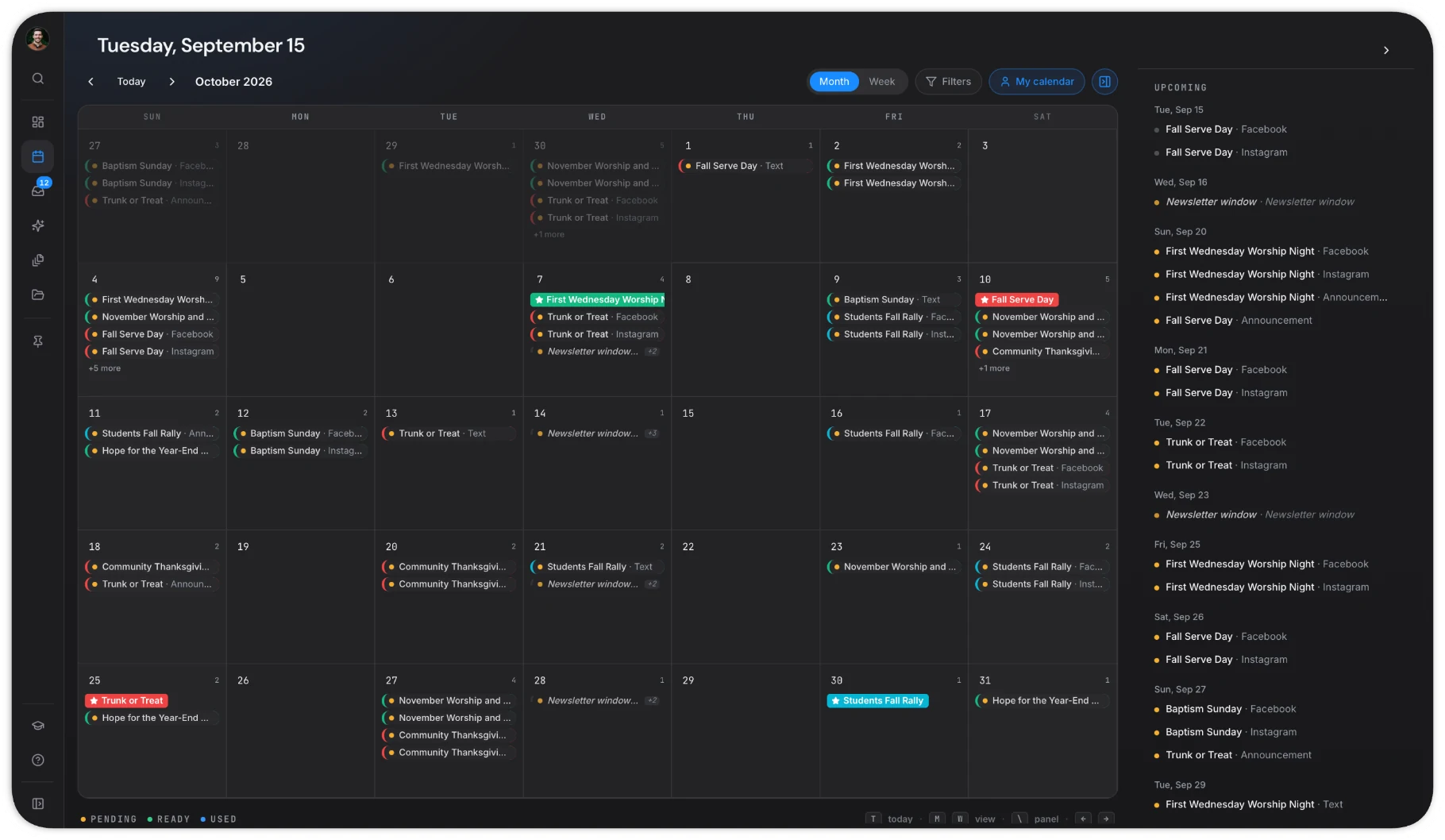
Most AI tools begin with a blank prompt. ChurchCopy starts with the identity and boundaries your church has already saved. That can include your mission, vision, values, statement of faith, preferred tone, and other church settings.
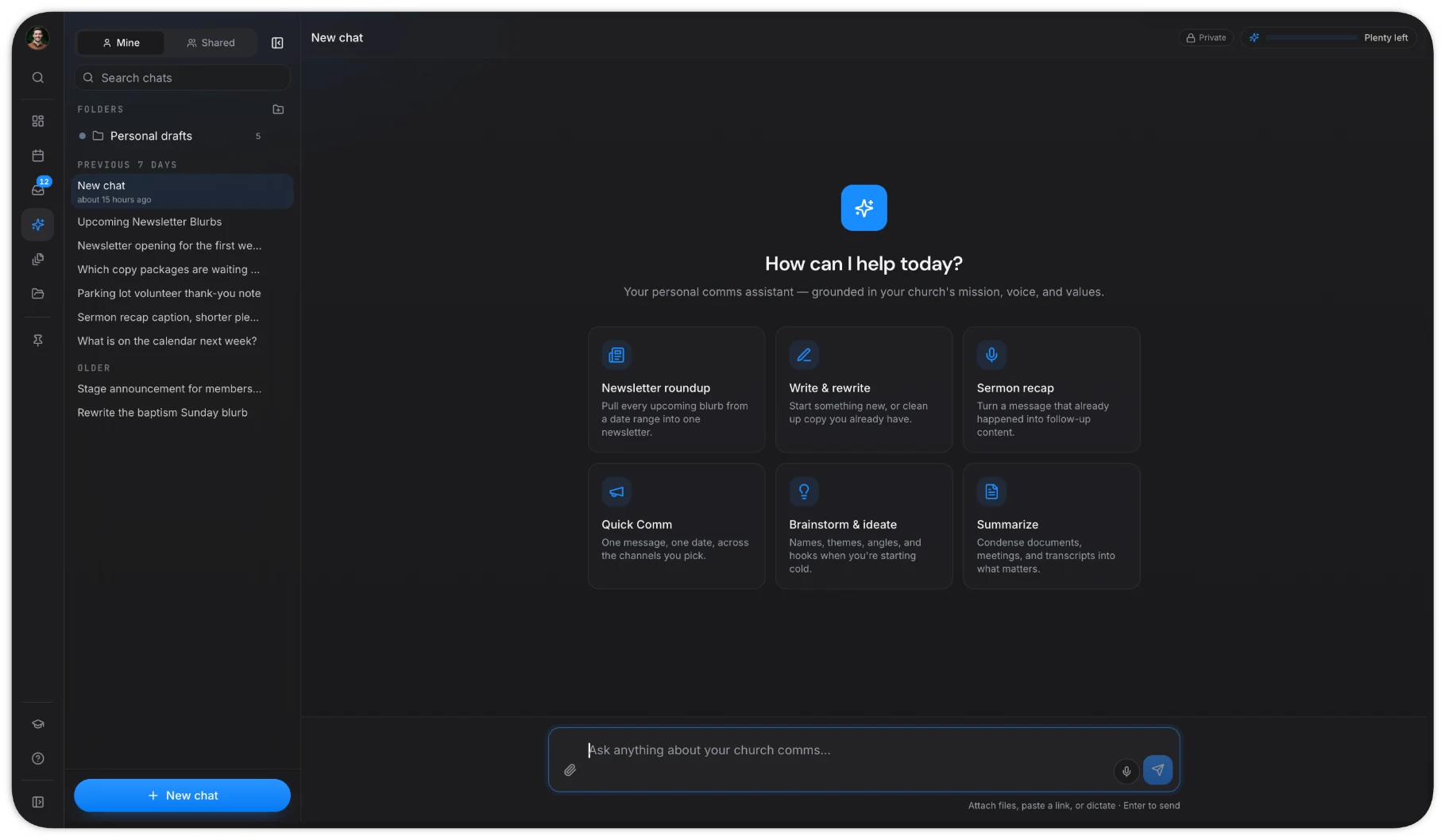
The AI Chat Assistant gives your team a flexible place to brainstorm, write, rewrite, and summarize. You can use it to shape an announcement, improve an email, prepare newsletter copy, or turn a sermon transcript into a recap. You can ask follow-up questions and guide the result without rebuilding your church context in every new chat.
This makes ChurchCopy useful as an AI assistant for church communications, not just a one-time AI church announcement generator. The same assistant can support many parts of the week while beginning from a shared understanding of how your church communicates.
Human review still matters. Your team remains responsible for facts, theology, care, privacy, and the final message. ChurchCopy gives people a stronger starting point. It does not take their place.
Set an AI policy your whole team can follow
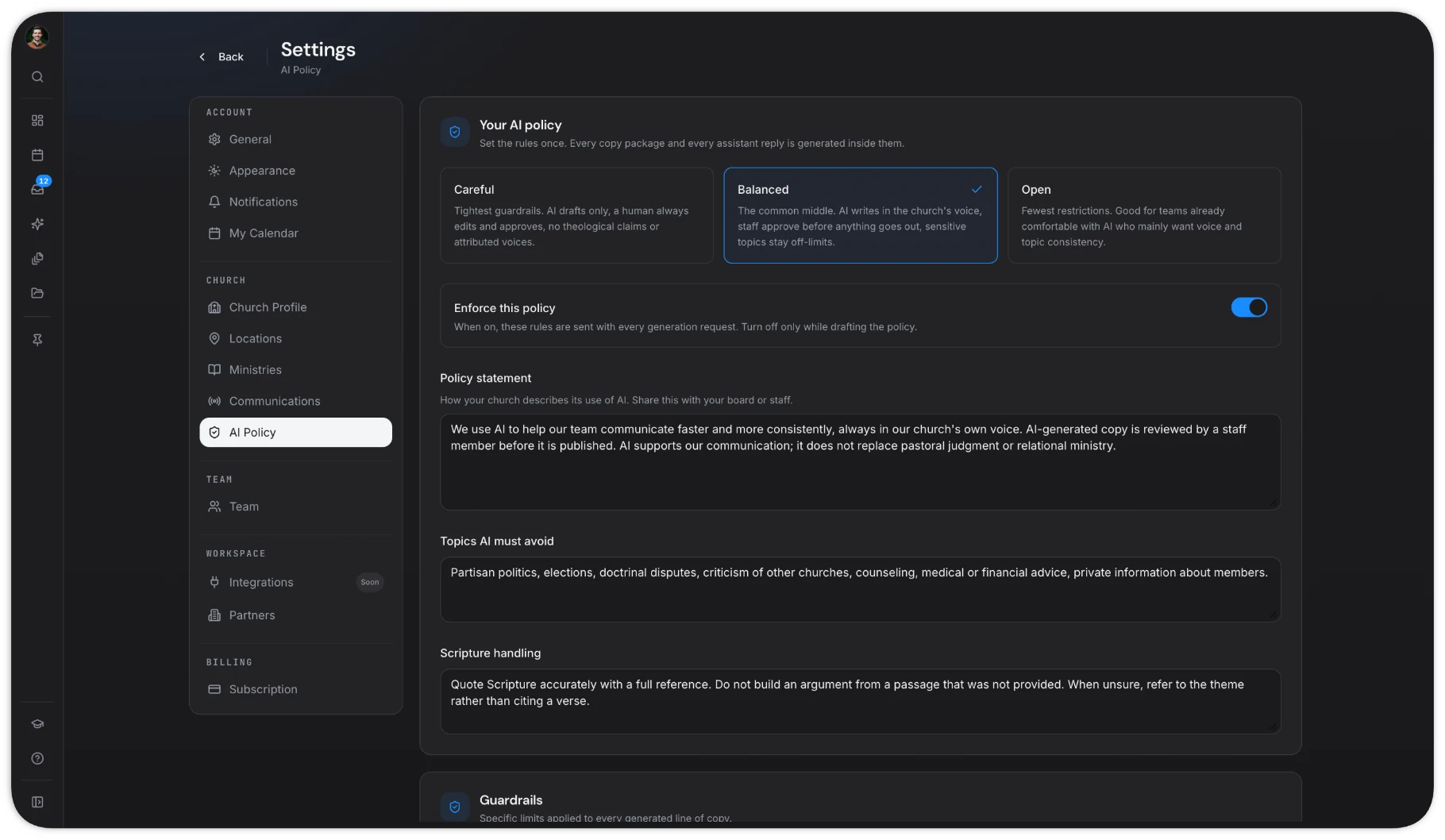
Churches need more than fast AI writing. They need clear rules for how AI should and should not be used. ChurchCopy V2 includes an AI Policy so your team can set those expectations in the same workspace where the writing happens.
Your church can choose a policy level, add a policy statement, define topics AI should avoid, and set guardrails for areas such as Scripture handling and human review. These settings help staff and volunteers work from one shared standard instead of making a new decision every time they use AI.
An AI policy does not solve every question. It creates a practical starting point for wise use. It also helps leaders explain the boundaries clearly to the people creating content. When the policy is enforced inside the workspace, those guardrails stay closer to the work.
Turn one event into an organized Copy Package
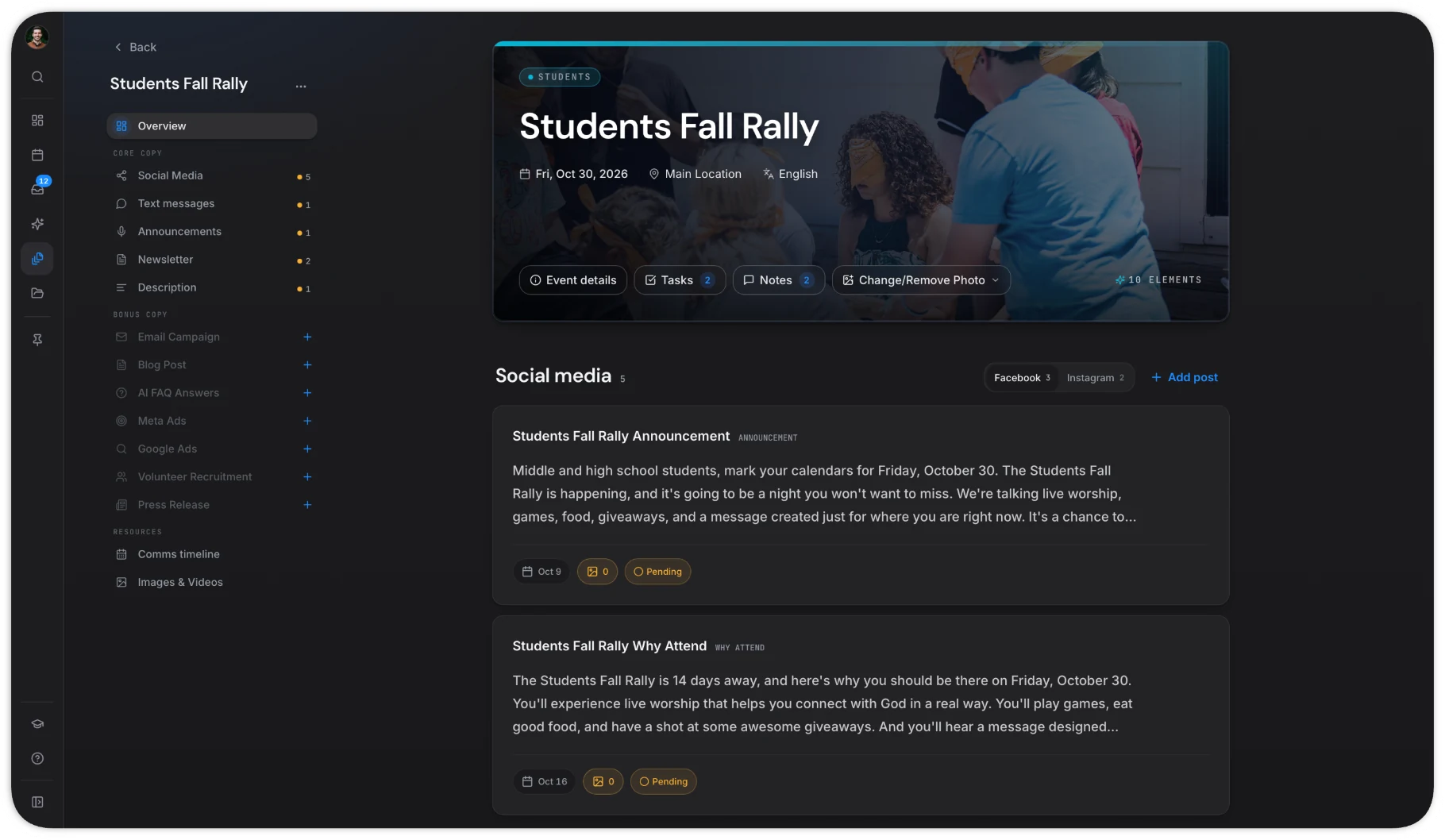
Church teams often write the same event details again and again. ChurchCopy V2 lets you enter those details once and build a Copy Package around them.
A Copy Package keeps the messages for one event together. It may include social posts, emails, texts, announcements, and newsletter copy. Each item can fit its channel while staying connected to the same dates, facts, and call to action. For teams searching for an AI church email generator or AI church newsletter generator, the bigger value is that those drafts do not live alone. They belong to a coordinated plan.
From there, collaborators can review content, leave comments, update statuses, assign to-do items, approve copy and artwork, and set publishing dates. Free viewers can view and copy content, while collaborators handle creation and team workflow. The media library also gives the team one place to keep useful photos for future packages.
What makes ChurchCopy V2 different?
Many AI tools for church communications can produce a draft. ChurchCopy V2 connects that draft to the people, plans, and standards around it.
- It remembers your church context. Your identity, voice, values, and policy guide the work.
- It keeps campaigns together. Copy Packages connect every message for one event.
- It shows what is coming. The calendar and dashboard make the plan easier to see.
- It supports team review. Comments, statuses, approvals, and to-do lists stay close to the content.
- It keeps people responsible. AI supports the team while people remain in charge of the final message.
This is the main change from V1. ChurchCopy is no longer only a place to generate church copy. It is a shared workspace for the full communication process.
Built for the rhythm of church communication
Church communication moves quickly. Sunday arrives every week, but the work also includes small groups, student ministry, outreach, classes, volunteer needs, and seasonal events. V2 is built around that real rhythm. It helps a small team manage a busy plan without turning communication into a complex project.
The goal is simple: give every message a clear home, give every teammate the right view, and give leaders confidence that the words going out match the church they serve.
ChurchCopy V2 is ready for your team
ChurchCopy V2 is now live for church communication teams that want a clearer way to plan and create. You can explore AI Chat, build a Copy Package, and see how your church’s voice and guardrails shape the experience.
Plans start with one Collaborator, and unlimited viewers can view and copy content. You can review full details on the pricing page or learn more about the workspace on the ChurchCopy home page.
Try for free and see how ChurchCopy V2 can help your team plan every message, protect your voice, and stay organized.